September 2025
With the xSuite Helix release of “Elusive Emerald”, we have enhanced various components. In particular, we have improved basic technologies such as validation and highlighting of extracted information.
New Function
Import and export options for master data
Import and export options for master data
Under General/Core → Data editor, you now have the option to export the entire data content of the respective data source and also import new or modified data records.
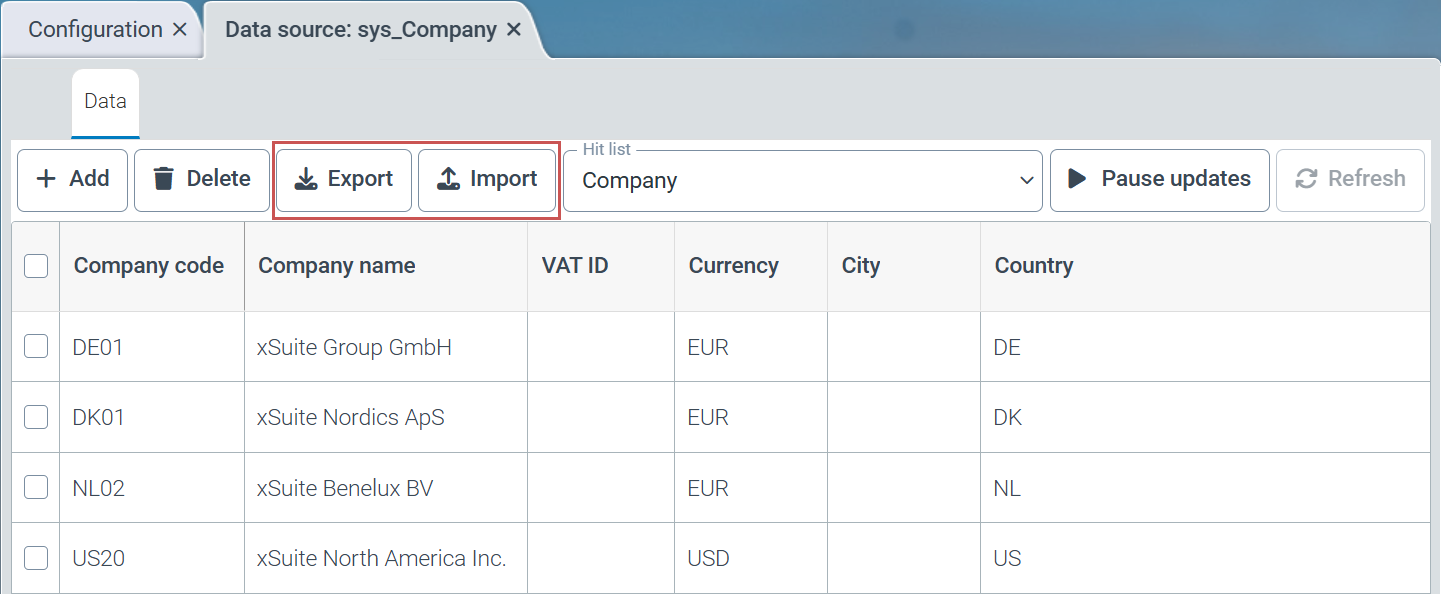 |
Export
The export function exports the entire data set from the selected data source.
Import
The import function offers the following options for importing data:
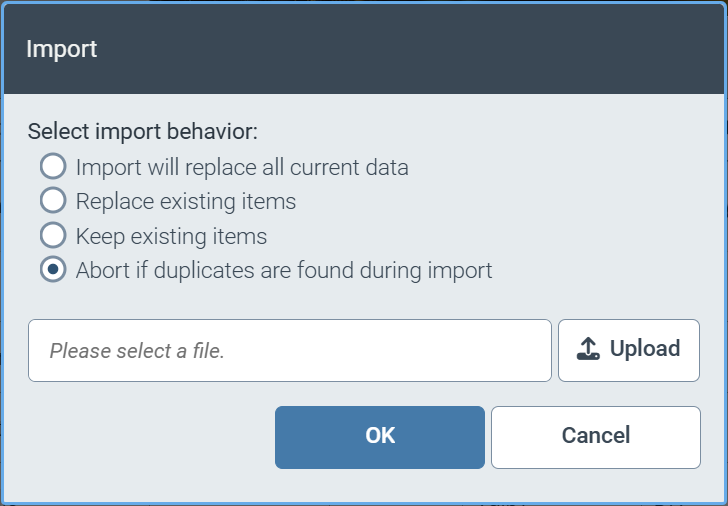 |
Deleting existing data records and completely replacing the contents of the import file
Overwriting existing data records and creating new data records
Adding new data records without overwriting existing data records
Canceling the import if a data record already exists in the data source
Changes and Enhancements
Moving online help to own server
Reduction of the retention period to 0 days for completed work items in the delivered workflow sys_CaptureValidateAgnostic
Simplification of time setting to full hours
F4 value help for automatically generated forms
Filtering the access determination table by target roles
Online help now on separate server
We have separated this online help from the xSuite Helix infrastructure and now host the xSuite Helix online help on a separate server. This separation reduces the load on the xSuite Helix infrastructure and improves the system security of the xSuite Helix platform.
Reduction of retention time in the "Agnostic" workflow
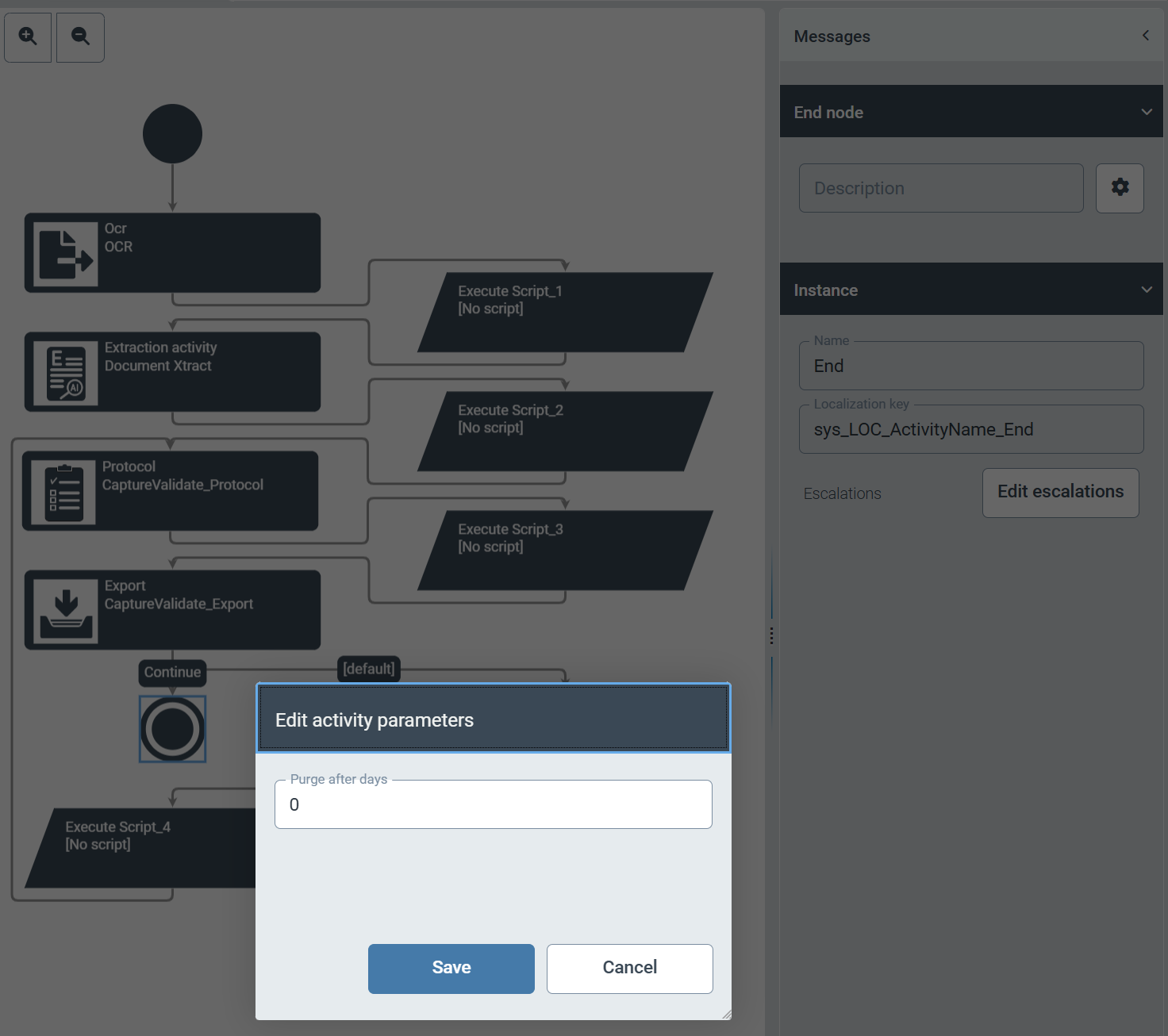
In the delivered workflow sys_CaptureValidateAgnostic, we have reduced the retention period for completed work items (status End) to 0 days. From now on, completed work items will be automatically deleted the following day by default.
 |
Tip
If you need a longer retention period for completed work items in your workflow, you can adjust the retention period via the parameter setting of the End node in the Workflows area via .
.
Simplified specification of the resubmission time
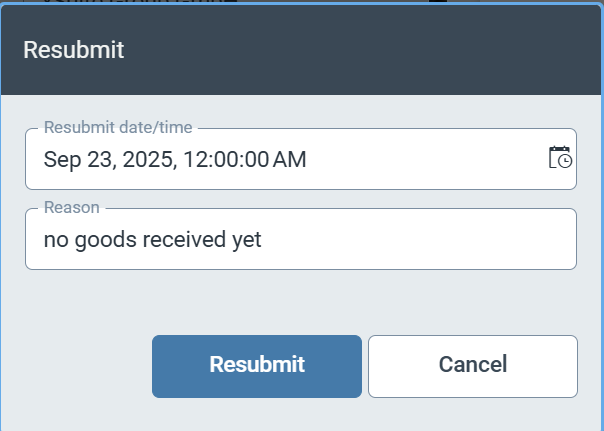
To make it easier for workflow users to work with xSuite Helix, we have limited the time options for resubmitting a work item to full hours.
 |
F4 value help for automatically generated forms
For fields with master data references, we have implemented an F4 value help function directly in the fields of all automatically generated forms.
Filtering the access determination table by target roles
The filter criteria for the Target role column in the access determination table can now be restricted by entering a filter expression. The use of the wildcard * at the beginning and end of the expression is also permitted for filter expressions.