UI elements of archive documents
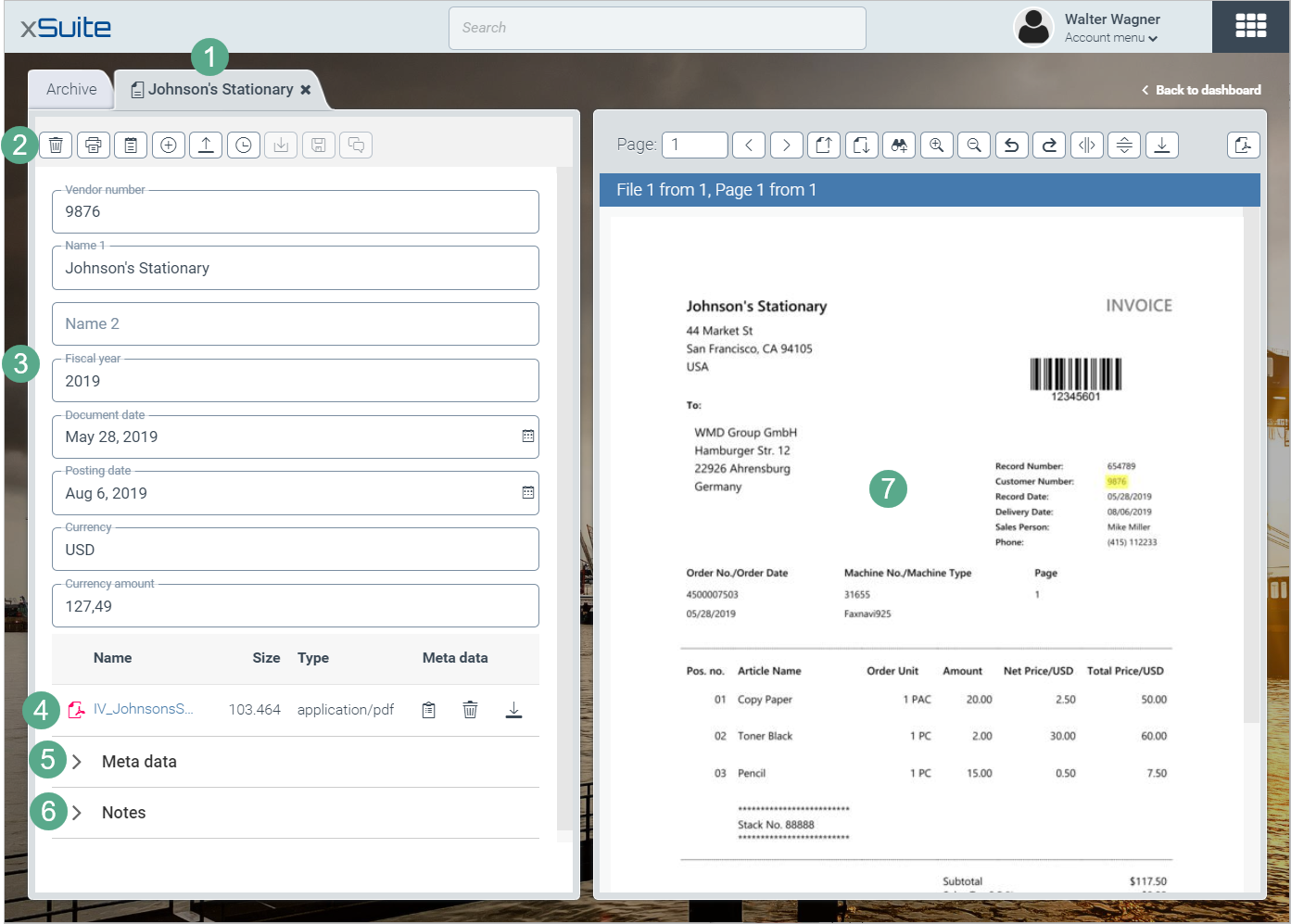
Element | More information | |
|---|---|---|
1 | Archive document tab | Each archive document is opened in a new tab. This enables multiple archive documents to be opened at the same time. The default name of the tab is "Document". If an index field of the type "Search Proposal" is defined for an archive document, the value of this index field is used as the name of the tab. For more information, see Archive document index fields. |
2 | Archive document toolbar | You can perform various actions for an archive document with functions in the archive document toolbar. For more information, see Overview of archive document toolbar buttons. |
3 | Archive document index fields | The index fields of an archive document are displayed here. For more information, see Archive document index fields. |
4 | Archive document attachment list | This is where the attachments of an archive document are listed. For more information, see List of archive document attachments. |
5 | Archive document metadata | The metadata of an archive document is displayed here. For more information, see Metadata for archive documents and attachments. |
6 | Archive document notes | This is where notes for an archive document are displayed. For more information, see Archive document notes. |
7 | The image viewer | This is where the attachments of an archive document are displayed. For more information, see Archive document attachments. If an archive document has no attachments, the image viewer will be hidden. |
Overview of archive document toolbar buttons
Button | Name | Description |
|---|---|---|
| Delete | Deletes the archive document. For more information, see Deleting archive documents. |
| Prints the attachments of an archive document or prints the attachments and index fields of an archive document. For more information, see Printing archive documents. | |
| Add note | Adds a note to the archive document. For more information, see Archive document notes. |
| Add field | Creates an index field for the archive document. For more information, see Creating index fields. |
| Add file | Uploads an attachment. For more information, see Uploading attachments to an archive document. |
| Show versions | Opens the version history of the archive document. For more information, see Archive document version history. |
| Download audit trail | Opens the audit trail of the archive document. For more information, see Archive document version history. |
| Display changes made in previous version | Displays changes made to the previous version of the archive document. For more information, see Viewing changes made to a previous version of an archive document. |
| Save | Saves the archive document. |
| Version commentary | Adds a version comment to the archive document before saving. For more information, see Adding version commentary. |


List of archive document attachments
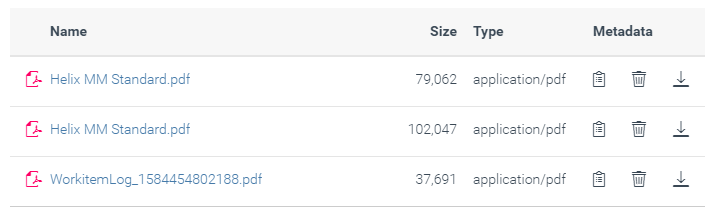
All attachments to an archive document are displayed as a list.
 |
Overview of attachment list buttons
Button | Name | Description |
|---|---|---|
| Metadata | Opens the metadata of an attachment. For more information, see Metadata for archive documents and attachments. |
| Delete | Deletes an attachment from the archive document. For more information, see Deleting an archive document attachment. |
| File | Downloads an attachment. For more information, see Downloading an archive document attachment. |


Adjusting the width of archive document panes
Open the archive overview. For more information, see Opening the archive overview.
Move the mouse to the line separating the archive hierarchy and the hit list panes.
Drag the line to the left or the right.
Your settings will be saved.