Selecting multiple archive documents
You can select multiple archive documents for printing or deletion.
The maximum selection is all documents displayed on the hit list page. It is not possible to select all archive documents in a hit list or to make a selection across multiple hit lists.
Selecting archive documents in the search engine view
Select either a single archive, multiple archives or an archive group. For more information, see Archive selection for actions.
This is where you will see the archive documents from the archives you have selected.
If the archive hit list is displayed in table view, click
 Change hit list type on the hit list toolbar.
The hit list will open in search engine view.
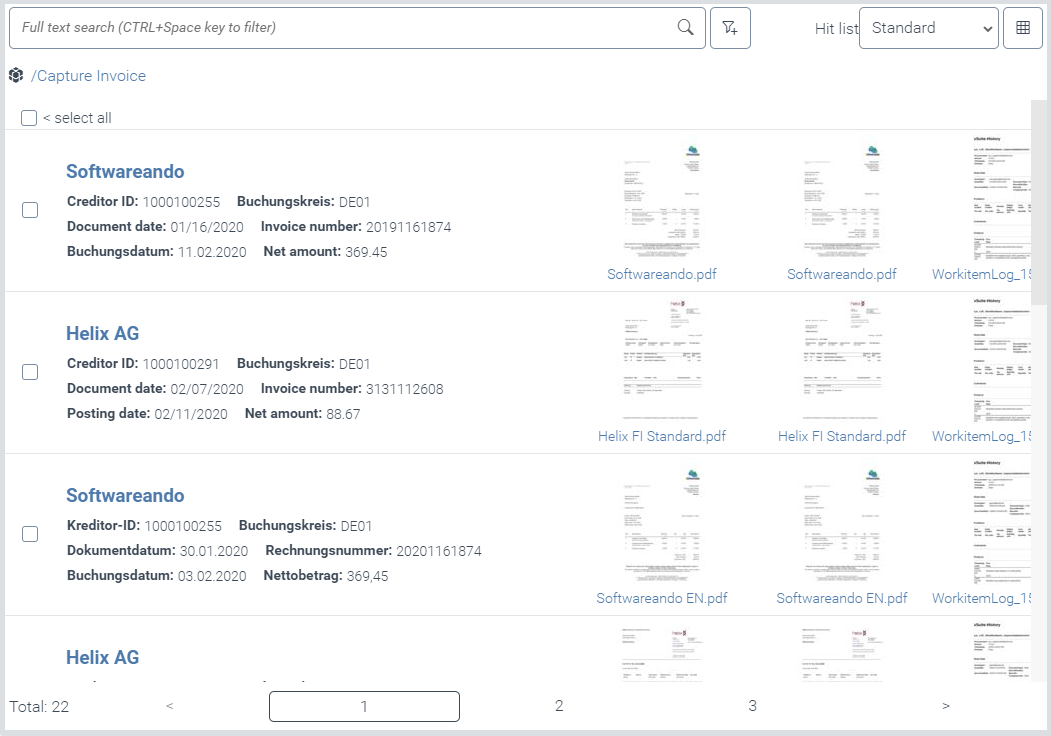
Execute one of the following steps:
To select all archive documents of the hit list page displayed, select the check box Select all.
To select individual archive documents, select the check boxes of these archive documents.
Selecting archive documents in the table view
Select an archive or a group of archives. For more information, see Archive selection for actions.
This is where you will see the archive documents from the archives you have selected.
If the archive hit list is displayed in search engine view, click
Change hit list type on the hit list toolbar.The hit list will open in table view.
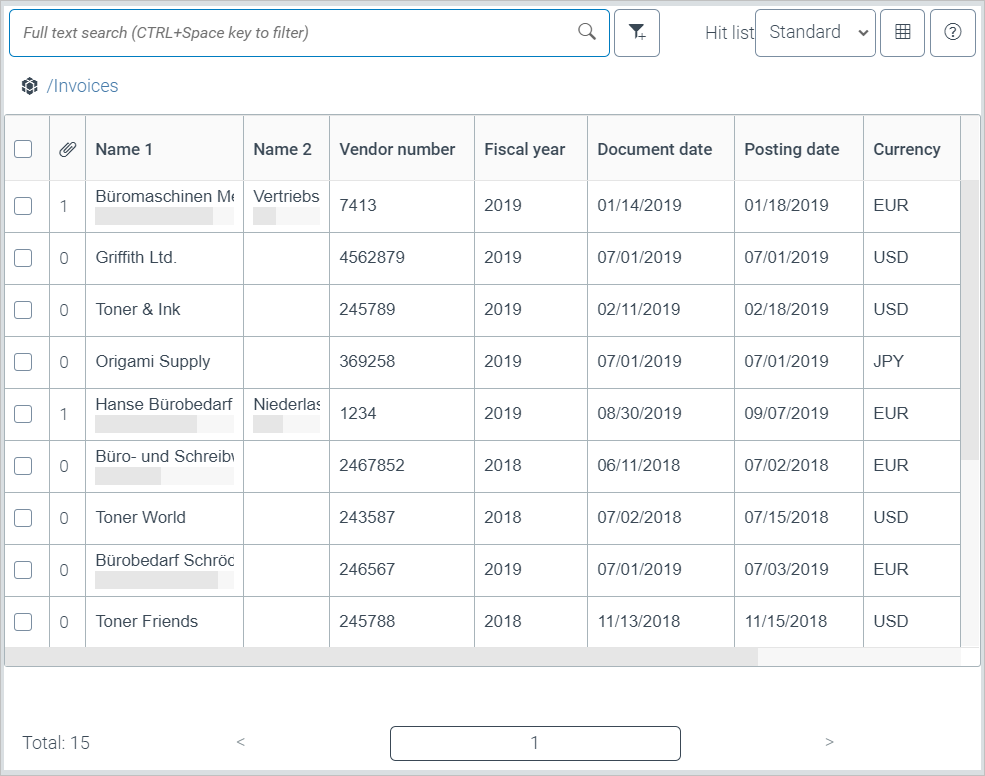
Execute one of the following steps:
To select all archive documents on the displayed hit list page, activate the check box in the table heading.
To select individual archive documents, select the check boxes of these archive documents.