UI elements in the "Transactions Received" screen
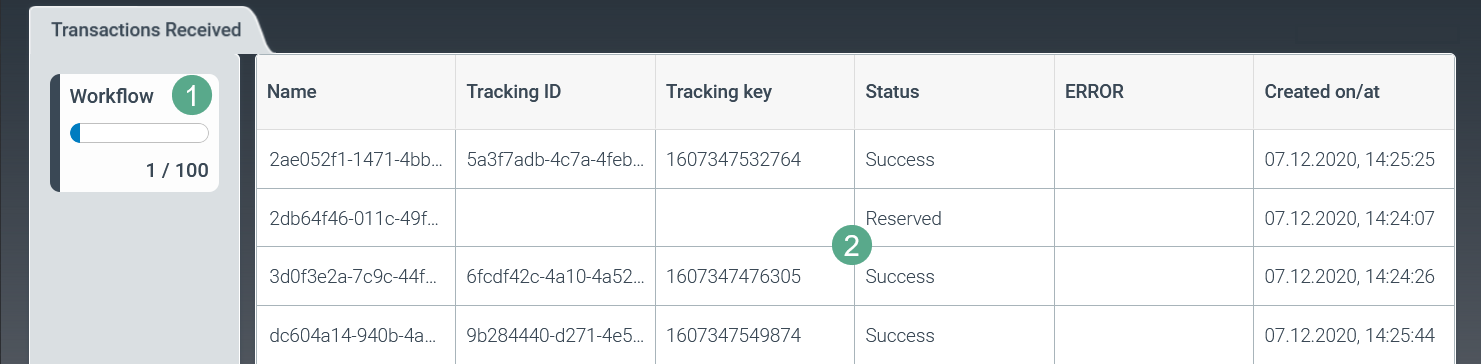
The Workflow area  in the tab Transactions Received shows how many work items are currently being processed in the cloud. A maximum of 100 items can be processed in the cloud at any given time.
For more information on Transactions Received  , see Overview of the columns in the "Transactions Received" screen.
Overview of the columns in the "Transactions Received" screen

Column | Description |
|---|---|
Name | Shows the name of the transaction received. |
Tracking ID | Shows the tracking ID of the transaction received. |
Tracking key | Shows the tracking key of the transaction received. |
Status | Shows the status of the transaction received. |
ERROR | Shows the errors that occurred in the transaction received. |
Created on/at | Indicates the date and time of creation of the transaction received. |