Index groups
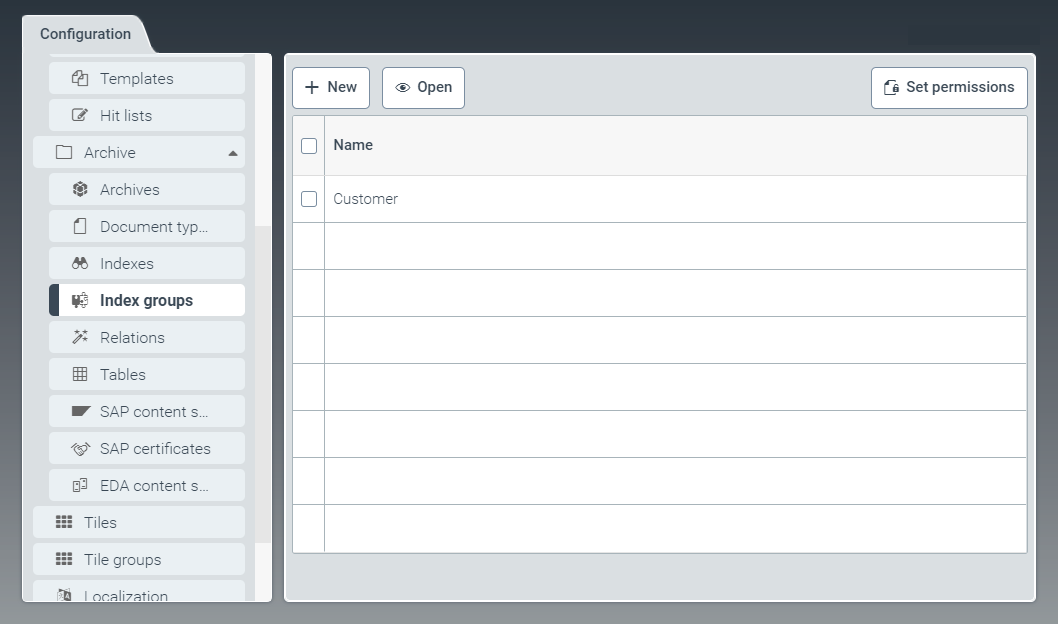 |
To aggregate indexes of different archives into groups, go to the tab Index groups.
Hit lists, search forms, and filters can be defined for each index group.
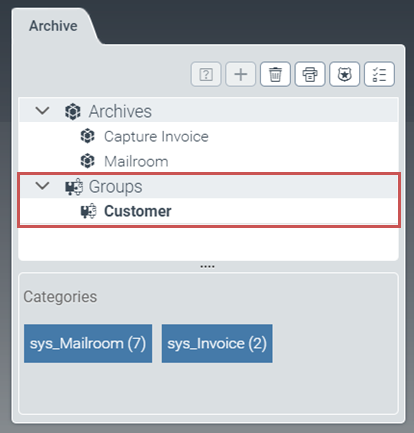
The user will see index groups in the archive client in the Groups pane. The user can search these index groups.
Example: Display of index group Customer in the archive client:
Creating an index group
From the configuration menu, open the Index groups window and click New.
➣ The IndexGroup: Unnamed item window will open.
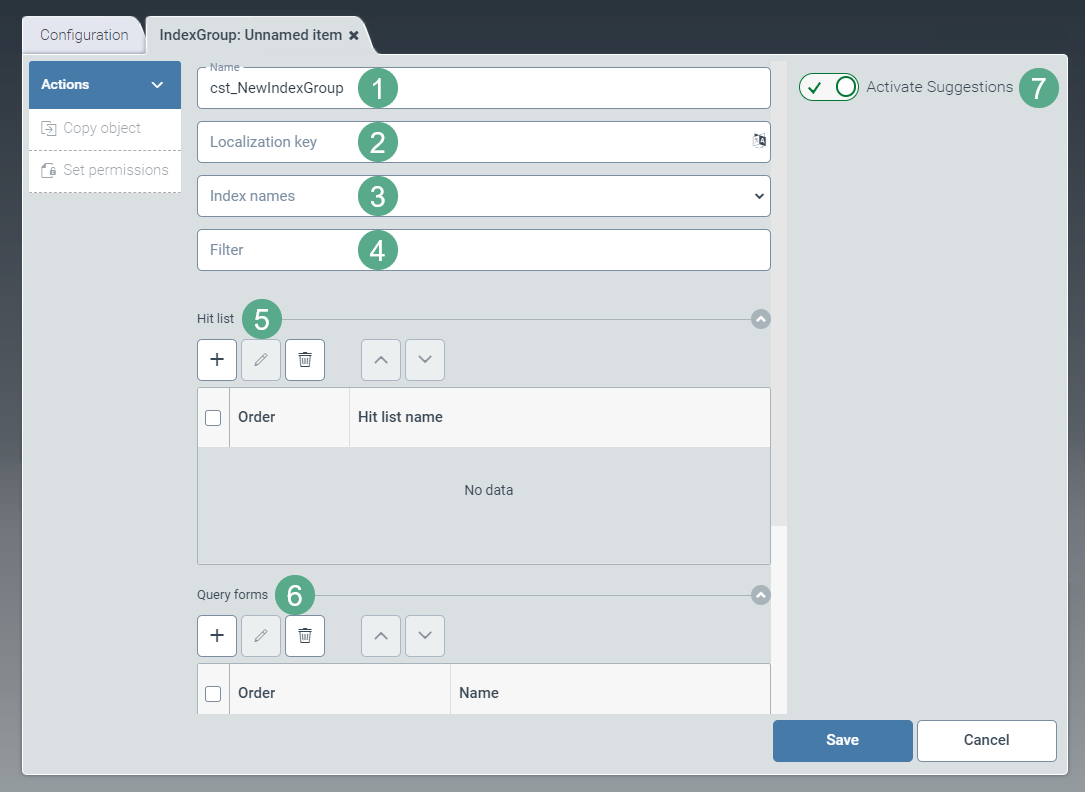
Specify the technical name of the index group in the Name field (1).
The prefix
cst_is predefined and cannot be changed.In the Localization key field (2), enter the localization key for the index-group name to be displayed.
To open the Select localization dialog box, click the
 button.
For more information, see Selecting a localization.
In the dropdown list Index names (3), select indexes to be assembled to form the index group.
If needed, define filters in the Filter field (4) in order to limit the number of results.
The syntax of the filters corresponds to the syntax of an Elasticsearch query. For more information, see Elasticsearch syntax.
If necessary, add one or more hit lists to the Hit list pane (5).
For more information, see Adding a hit list.
If necessary, add one or more query forms to the Query forms pane (6).
For more information, see Adding a query form.
If needed, use the toggle button Activate Suggestions (7) to activate suggestion lists.
Click Save.
➤ The index group has now been created and configured.
Notice
Click Copy object to generate a copy of the index group currently opened. The copy will be identified with the suffix _Copy postpended to the index groups.
Editing an index group
In the Index groups tab, click on the table row of the index group you wish to open.
➣ The IndexGroup: {Index group name} window will open.
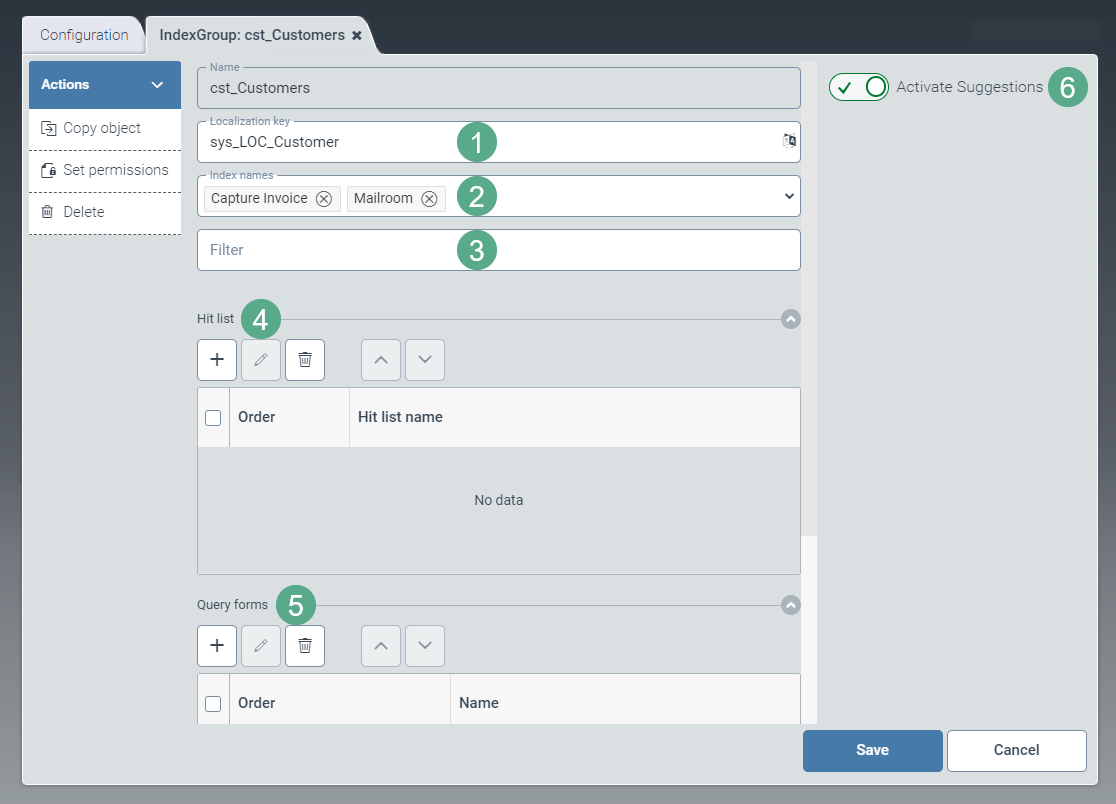
In the Localization key field (1), enter the localization key for the index-group name to be displayed.
To open the Select localization dialog box, click the
button.For more information, see Selecting a localization.
If necessary, go to the dropdown list Index names (2) and edit the indexes that are to be aggregated to form the index group.
If necessary, adjust the filters that limit the result set in the Filter field (3).
The syntax of the filters corresponds to the syntax of an Elasticsearch query. For more information, see Elasticsearch syntax.
If necessary, add existing or new hit lists to the Hit list pane (4).
For more information, see Adding a hit list.
If necessary, add query forms to the Query forms pane (5).
For more information, see Adding a query form.
If needed, use the toggle button Activate Suggestions (6) to activate suggestion lists.
Click Save.
Notice
Click Copy object to generate a copy of the index group currently opened. The copy will be identified with the suffix _Copy postpended to the index groups.
To delete an index group that has been saved, click Delete.