Metadata search
Use the metadata search to search archive documents and attachments for their metadata. For more information on metadata, see Metadata for archive documents and attachments.
Reset when you have finished your metadata search.
The metadata search is geared towards xSuite Archive Helix administrators and specially trained users.
Executing a metadata search
Requirements
You have the right to perform metadata queries.
Procedure
Select a single archive. For more information, see Selecting a single archive.
Click
 Search in metadata on the archive toolbar.
The Search in metadata dialog will open.
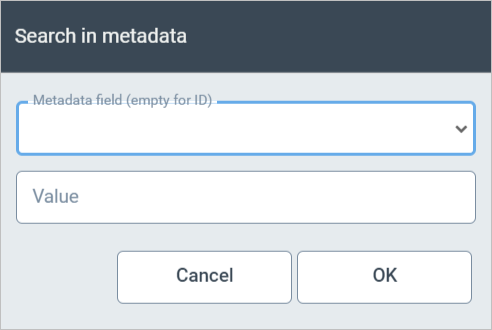
Select a metadata field from the drop-down list Metadata field (empty for ID).
Enter a search term in the Value field.
For more information on the search options, see Search options for archive searches.
Click OK.
The archive documents will be displayed in the hit list.
For information on working with the hit list, see The archive hit list.
Resetting an metadata search
In the fulltext search field of the hit list toolbar, click
 Reset.