UI elements in the workplace
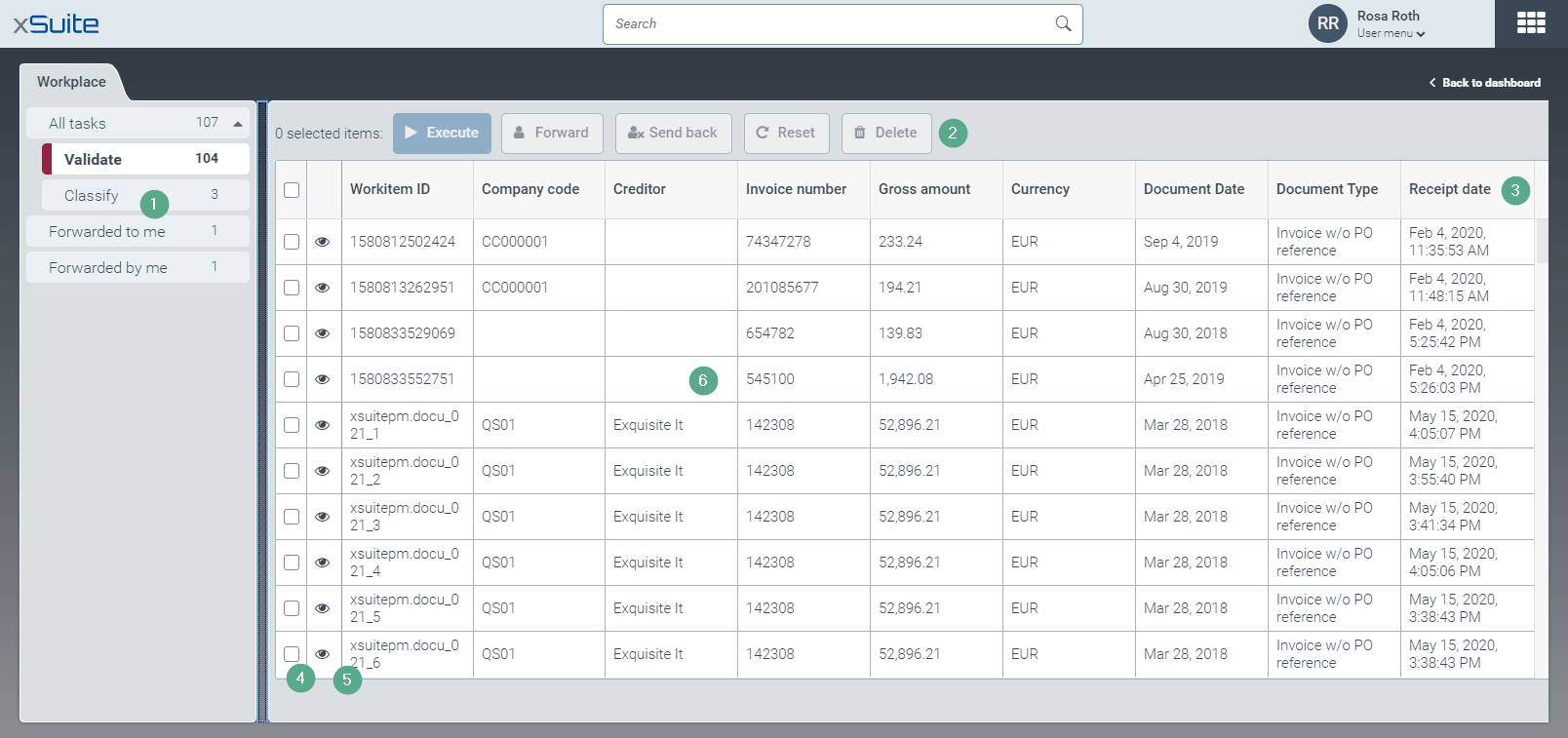
Element | More information | |
|---|---|---|
1 | Task lists | |
2 | Actions | Use the following buttons to execute actions for the selected work items:
|
3 | Columns | The columns for a task list are displayed here. Different columns are displayed for each task list: |
4 | Multiple selection | With multiple selection, you select work items for an action. |
5 | Preview | Use the button |
6 | Work-item list | All work items in the selected task list are displayed here. Work items that are opened by other users are hidden. The following lists of work items are available:
For information on the task lists and Overview of task lists in workplace work items, see . |


