The path navigation in the archive hit list
The path navigation (or breadcrumb navigation) in the archive hit list shows you where your currently selected archive is located in the archive structure.
The path navigation is set up as follows:
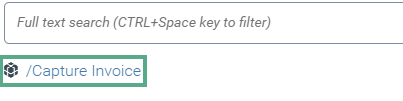 |
The icon indicates the node in which the archive element is located.
Icon
Description

List of archives

Archive group
The path next to the icon shows where the selected archive is located in the archive structure. In this example, the archive "Capture Invoice" has been selected. It is located in the archive "STANDARD".
Each entry in the path can be clicked to open the respective archive.