The validation process
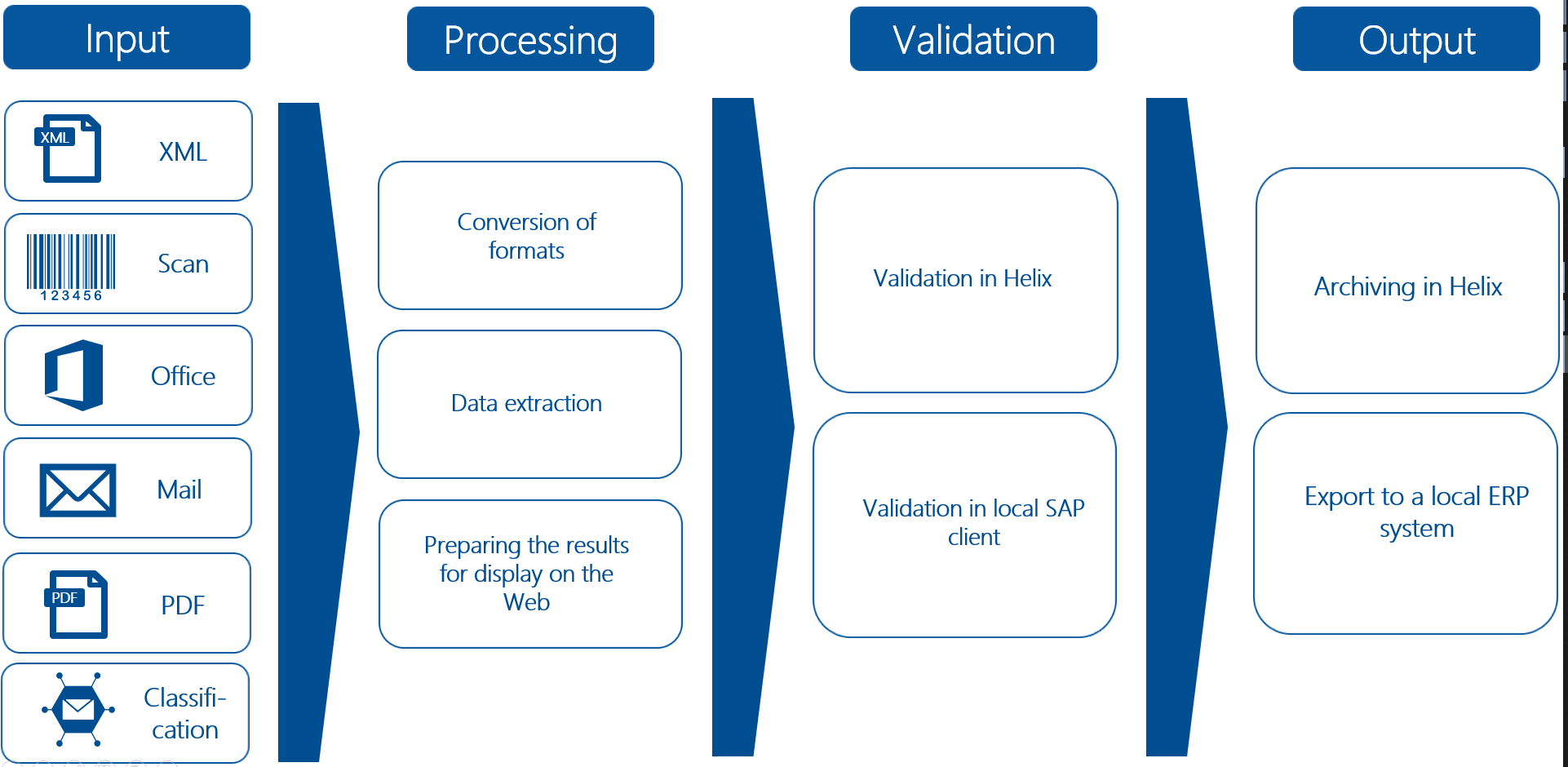
The validation process comprises the following steps:
Process step | Description |
|---|---|
Input | The documents can be received via different channels, e.g. a scan client, e-mail mailboxes or classification. |
Processing | The formats of the documents are converted. Then data extraction is performed, with OCR for formats without full text. The data extracted from the invoice documents are recognized and interpreted based on a ruleset. Vendor recognition is based on master data, i.e. the master data from SAP is made available for data extraction. |
Validation | Validation can be performed in Helix or in SAP. If validation is performed in Helix, the document viewer will display the data extraction results in the validation screen. The validated documents will then be transferred to SAP. If the validation is performed in SAP, the data extraction results will be transferred to SAP and the xSuite Viewer will display them in the validation screen. |
Output | Validated documents can be archived in Helix or exported to a local ERP system. |