Field catalogs (V1)
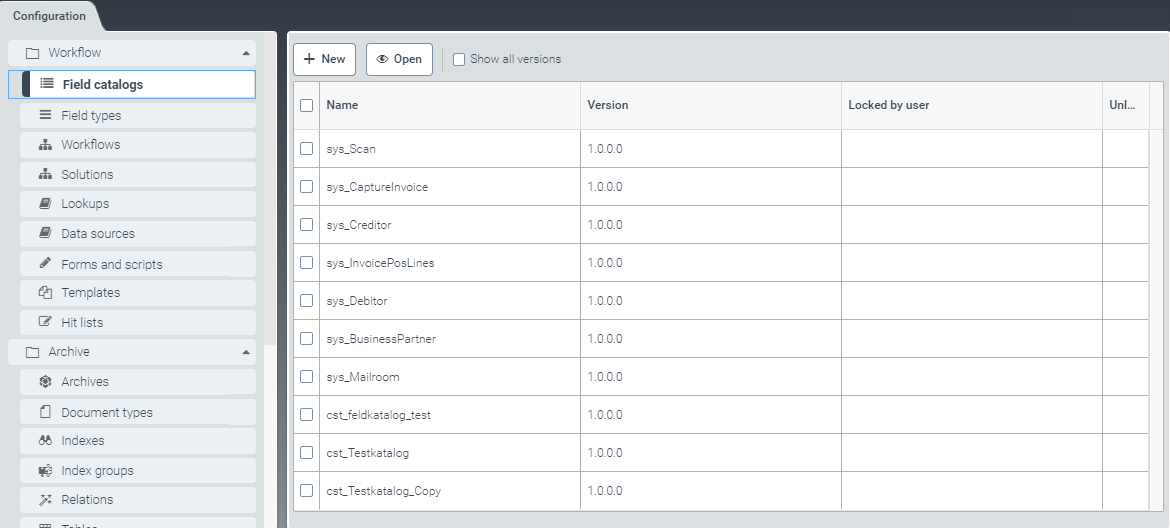 |
Field catalogs determine the data model used for work items that pass through a workflow.
Field catalogs can be structured hierarchically.
Field catalogs consist of fields of different field types. A field type is determined by the underlying data type.
To create your own field catalogs (see Creating a field catalog (V1)) and generate new versions from your own field catalogs, go to the menu item Field catalogs (see Editing a field catalog (V1)).
Creating a field catalog (V1)
From the configuration menu, open the Field catalogs window and click New.
➣ The window Catalog: Unnamed item will open.
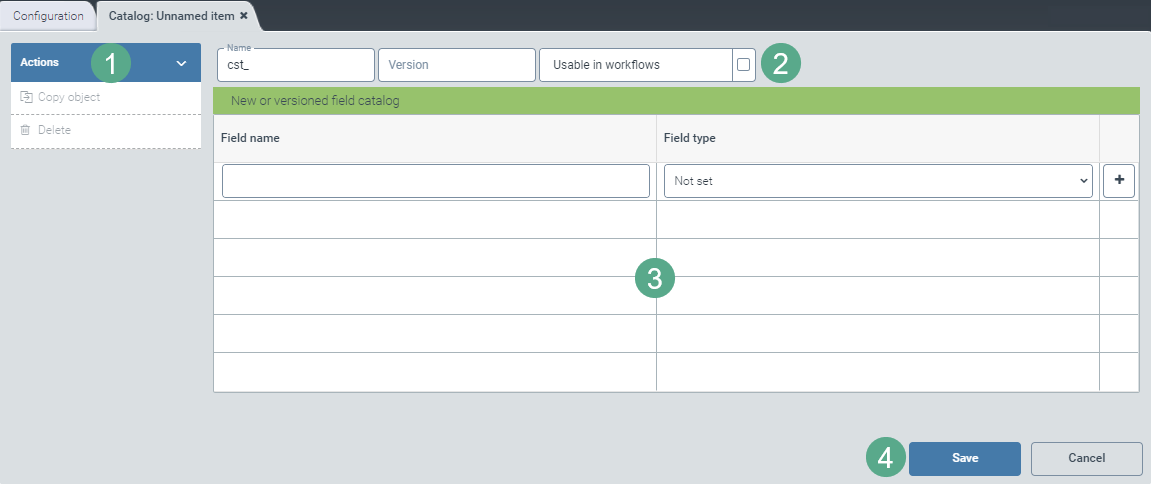
Specify the technical name of the field catalog, its version number, and whether to make it available in workflows (2).
If the field catalog is to be accessible to workflow processes, activate the check box Usable in workflows.
If this box is not activated, this field catalog will only be used by other field catalogs. To use this functionality, field catalogs must be hierarchically organized.
Notice
The technical name comes prepended with cst_. This prefix cannot be deleted.
Enter the field names for all fields required and use the drop-down list in the Field type column (3) to select the data type.
Save the field catalog you have created, or discard it by clicking the Cancel button (4).
Notice
Once you have saved, the options Copy object and Delete will appear in the action menu.
Click on the option Copy object to generate a copy of the version of the field catalog currently opened. The copy will be identified with the suffix _Copy postpended to the name of the field catalog.
To delete a field catalog that you have saved, click Delete.
Editing a field catalog (V1)
To select a field catalog, click the respective table row in the table in the tab Field catalogs.
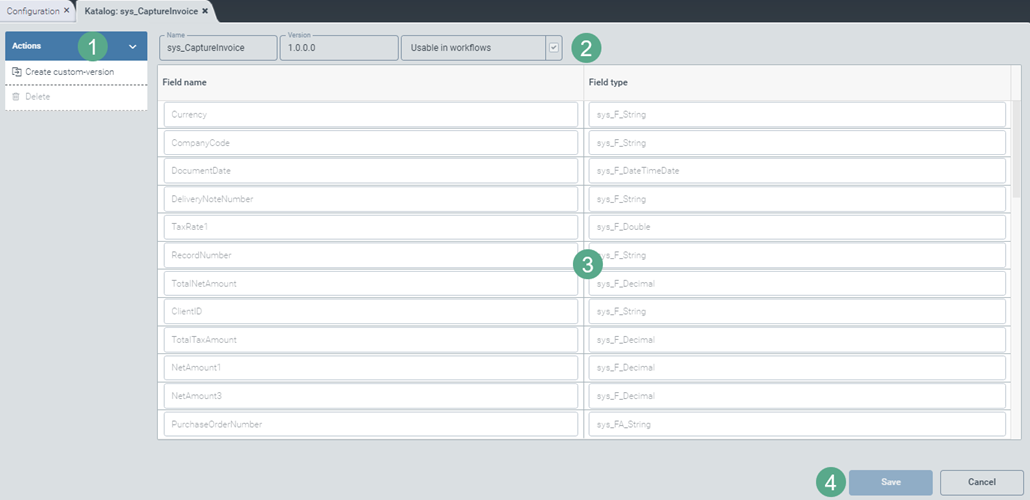
➣ The tab Catalog: {catalog name} will open.
Notice
Standard field catalogs with the prefix sys_ cannot be edited until specific steps have been taken, as follows:
Create a custom version by clicking on the button Create custom-version.
Save the custom version.
Close the window and open it again.
Notice
The technical name comes prepended with cst_. This prefix cannot be deleted.
Edit the field catalog names and define whether they are available in the workflows (2). If necessary, edit the field names and the data types in the Field type column (3) as well.
When you have finished making your changes to the field catalog, save it under a new name. If you have made changes to an existing field catalog, save it under a new version number (4).
Notice
To create a copy of the field catalog version currently open, click Copy object. The copy will be identified with the suffix _Copy postpended to the name of the field catalog.
To delete a field catalog that you have saved, click Delete.