Setting up the SSL encryption of the transport in xSuite Bus Prism
For SSL transport encryption communication to work between xSuite Bus Prism and the connected systems, modify the web.config file. By default, this file is located in the D:\xSuite\xSuiteBusWeb\xFlowBusWebServiceHost\Web.config directory.
The following settings must be made:
In the node
<Bindings><basicHttpBinding>and in the node<Bindings><webHttpBinding>, enter the following:<security mode="Transport"/>.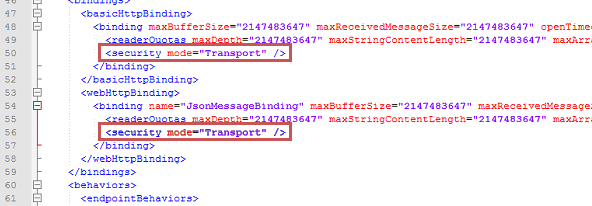
In the node
<system.serviceModel><services><service>, enter the following:<endpoint address="mex" binding="mexHttpsBinding" contract="IMetadataExchange" />.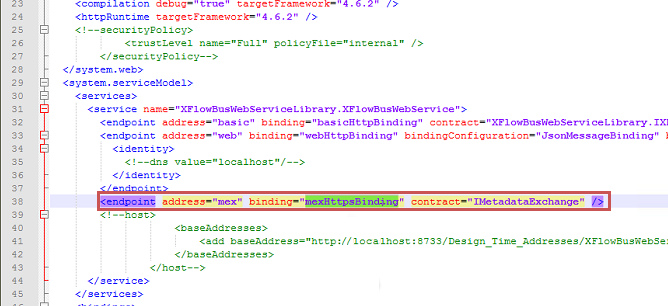
In addition, in the xSuite Bus Management Studio in the service configuration for the IIS Web Service, the web service address must be changed as follows:
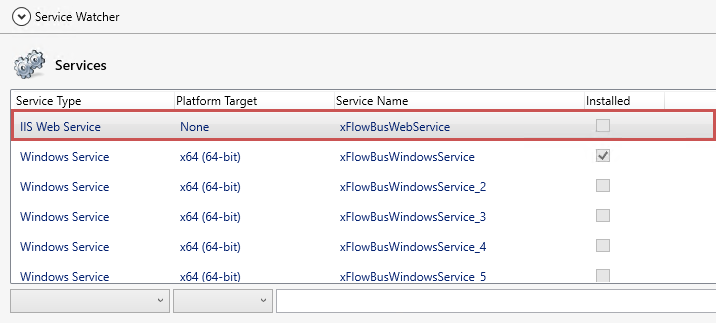
In the Service Type column of the Service Watcher section, select the type IIS Web Service.
Open the Watched Service section and enter the web service address with
httpsin the Webservice Address field.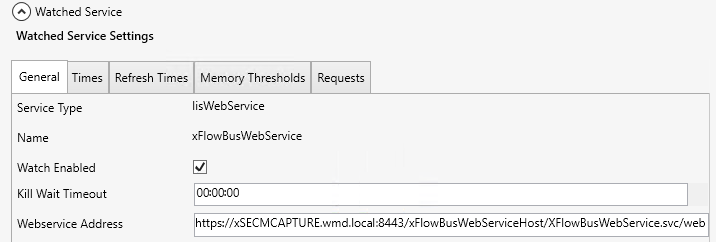
Notice
If the previous port is different from port 443, add
:443to the web-service address.