Testing
The Testing section comprises two separate tabs intended for testing adapter settings. Use it to test entries made in the Actions tab.
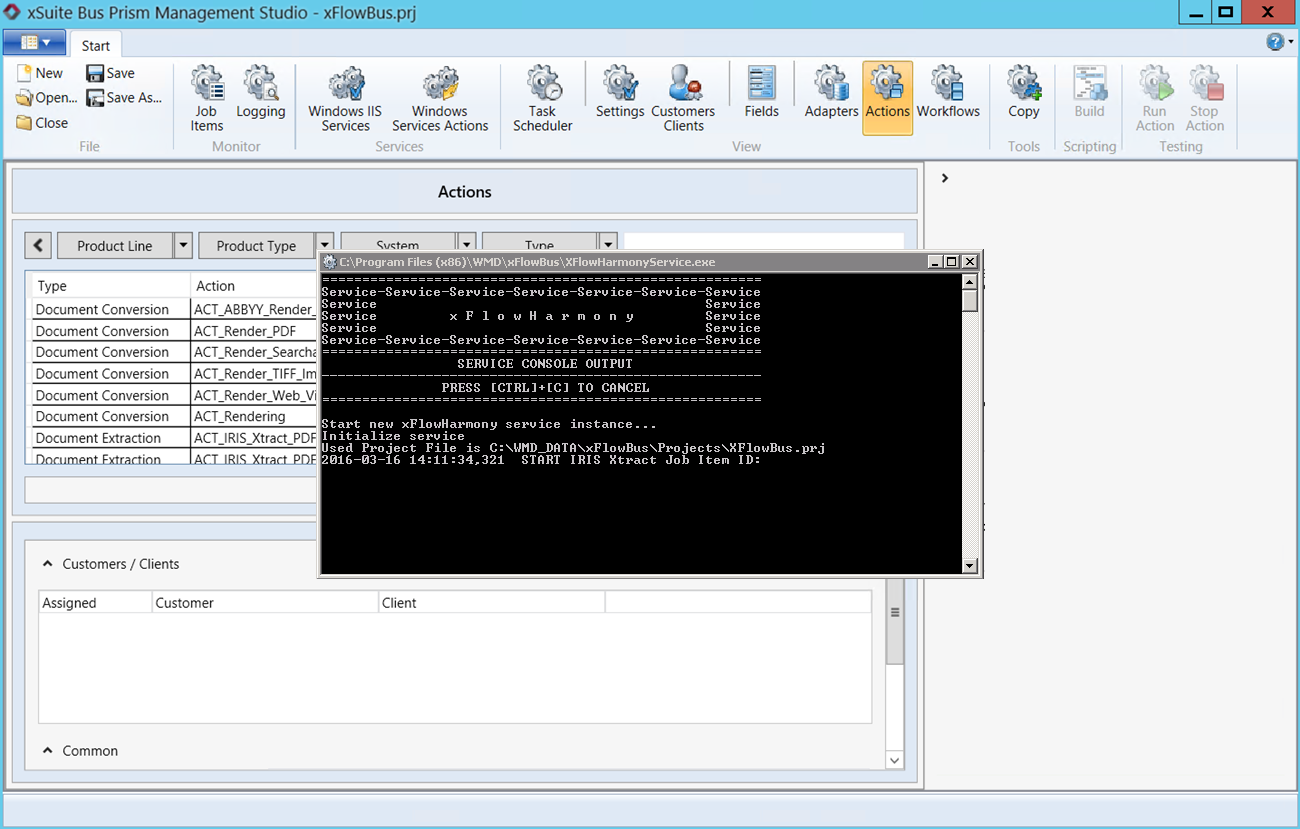
Run Action: If you selected an action in the Action tab that supports testing, you can use this button to test the processes defined for this action. The system calls up an MS DOS prompt and launches the action in this window. This is an aid when checking whether the selected action is working as intended.
Stop Action: Click this to stop the action executed by pressing the Run Action button. The system closes the MS DOS prompt and terminates the action. This button is only enabled after you have started an action manually.
 |
Notice
Actions are frequently designed as recurring tasks but can also be started manually. If you deem it necessary to access an action outside the intervals defined in the Task Scheduler, select the action in the Actions tab and click the Run Action button. This will launch the action and deliver the result immediately.