Field Catalogs
This tab allows you to create compilations of different field catalogs. All fields of the xSuite field catalog may be used for this. One possible application of these field catalogs is to check the results of a document extraction for completeness.
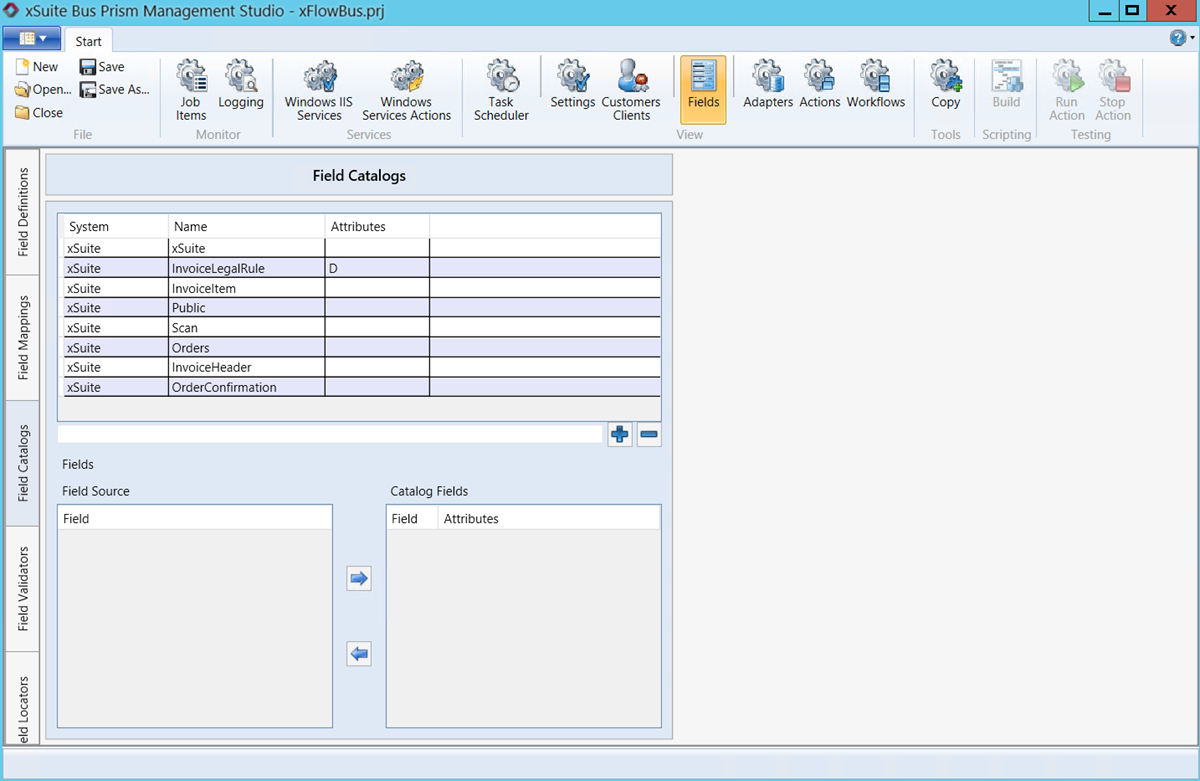 |
Catalogs such as the InvoiceLegalRule are included in the standard xSuite Bus package. You can use this catalog together with the xSuite Viewer to check if all fields on an invoice that are mandatory according to configuration have been captured.
The value D (default) can be specified via the attribute of a field catalog. This attribute value marks a field catalog for use by the xSuite Viewer.
When all fields are detected, this is signaled to the xSuite Viewer and these fields are displayed in the Viewer display. If fields have not been recognized or are not present on the invoice, this is shown in red in the list of fields to be recognized. This makes it possible to check whether an invoice contains all the mandatory information.
In addition, the value T (Trainable) can be specified via the attribute of the catalog field. This field is then marked as a trainable field in the xSuite Viewer and can be used for field training.
Notice
For training, only header fields should be used. Values in line-item value rows are seldom suitable for training as the absolute line item may change in the record.
Field catalog – configuring display of fields in xSuite Viewer
Create a field catalog or select a field catalog that contains validation rules for fields.
For example: InvoiceLegalRule field catalog with validation rules for the DocumentDate field.
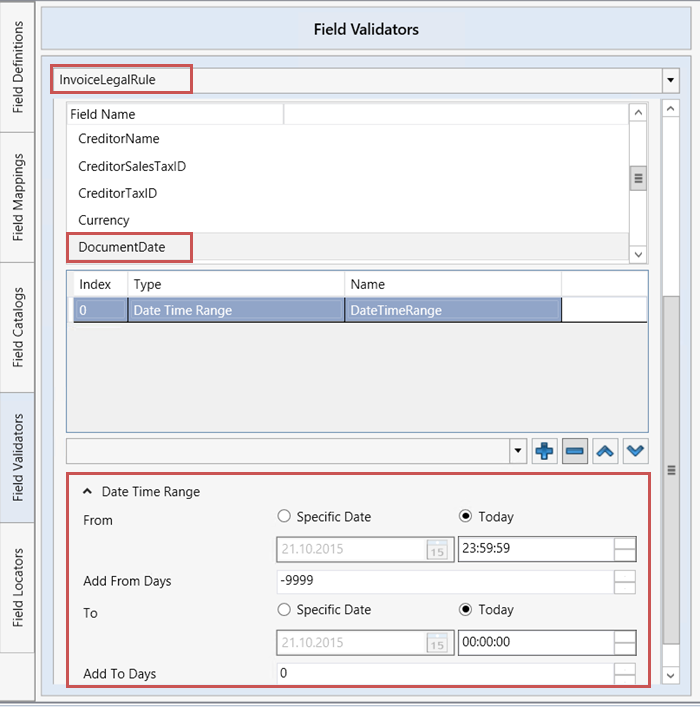
Select the Actions tab.
For an action of the type Document Extraction, enter the name of the field catalog in the Output Catalog field.
Notice
The field catalog you specify in the Output Catalog field must be the catalog used by xSuite Viewer.
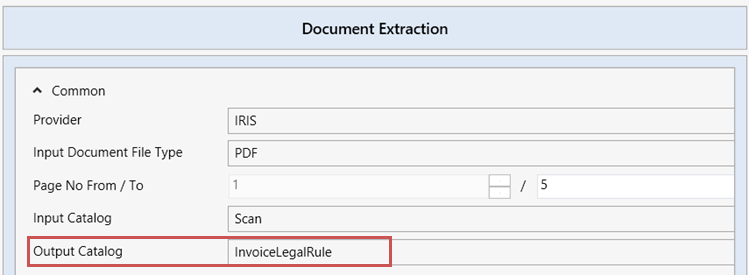
Perform one of the following actions to store the field catalog for the use of the xSuite Viewer:
In the Fields → Field Catalogs tab, set the attribute
Dfor the corresponding field catalog.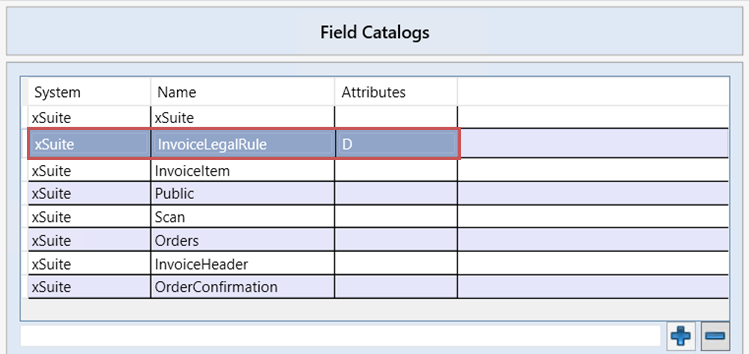
In the ERP system that uses the xSuite Viewer, set the field catalog via a URL parameter.
Example:
https://HOST.domain:PORT/MY_URL?docId=docid&catalog=InvoiceLegalRule