Search options for metadata searches
The following search options can be used for a metadata search:
Search option | Syntax | Example | |
|---|---|---|---|
Searching for a specific value | -- |
All documents for which the creator is "Meier" will be found. | |
Searching for a range of values | 2 points ( |
All documents created in 2025 will be found. | |
Searching to determine whether a metadata field is available | Asterisk |
All documents for which the LegalHolderMarker metadata field is present will be found. A legal hold is set for these documents. | |
Searching for an ID | -- |
The document with the ID you enter, or the attachment with that ID, will be found. NoticeThe syntax of a document reference is |




Performing a metadata search
A metadata search can be used to find documents and attachments. For an overview of the available metadata, see An overview of document metadata
Notice
A metadata search specifically serves archive administrators and specially trained users.
Open the Archive section.
In the sidebar, click on the name of an archive.
➣ The documents in the archive will appear in the hit list.
Click on
 Query metadata.
➣ The search fields for the metadata will appear.
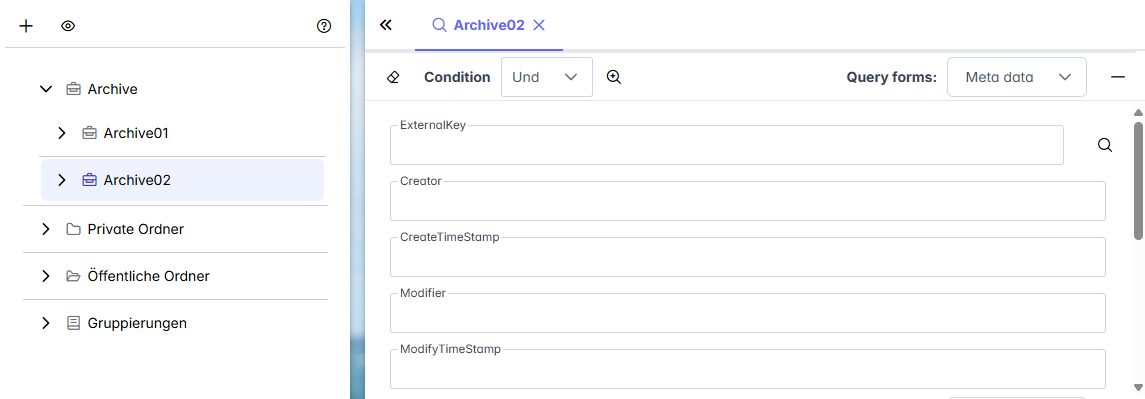
If required, go to the Search forms drop-down list and select a pre-defined search form.
Notice
The search form controls which search fields are displayed. Search forms are defined by the administrator.
Enter data in the search fields.
Notice
When entering the values, you will be presented with various options for the metadata search.
Click on
 Search or press Enter.
➤ The metadata search will be executed.
➤ The search results will appear in the hit list.