Example: Change Quantity
Open a document in the validation screen. For more information, see Opening a Document in Validation in the SAP GUI.
Example of a document with a different quantity:
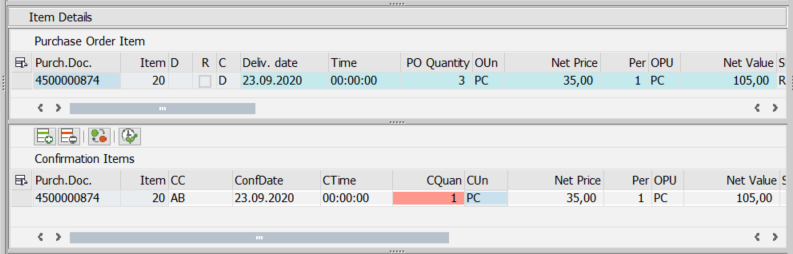
In the Item Data area, select a confirmation item and click the button
 Conf. Data => Purchase Order.
➣ The dialog Change Purchase Order will open.
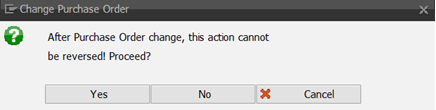
Confirm with Yes.
➣ The Messages dialog opens.
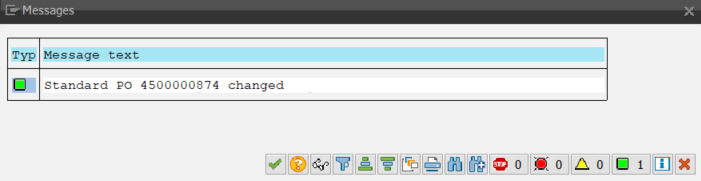
Click
 Next.
Next.➣ The quantity from the confirmation item will be transferred to the purchase order.
➣ The net total value will no longer match.
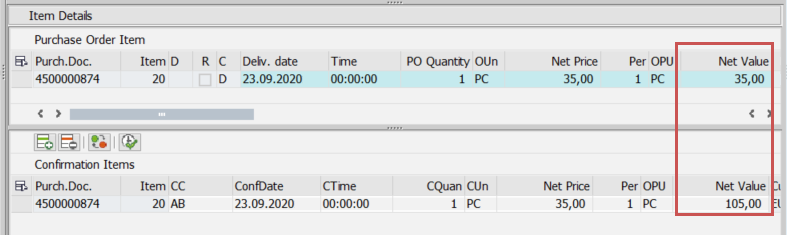
In the Net value field of the confirmation item, adjust the net total value.
➣ The change of the quantity has been completed.