The "Workers" Tab
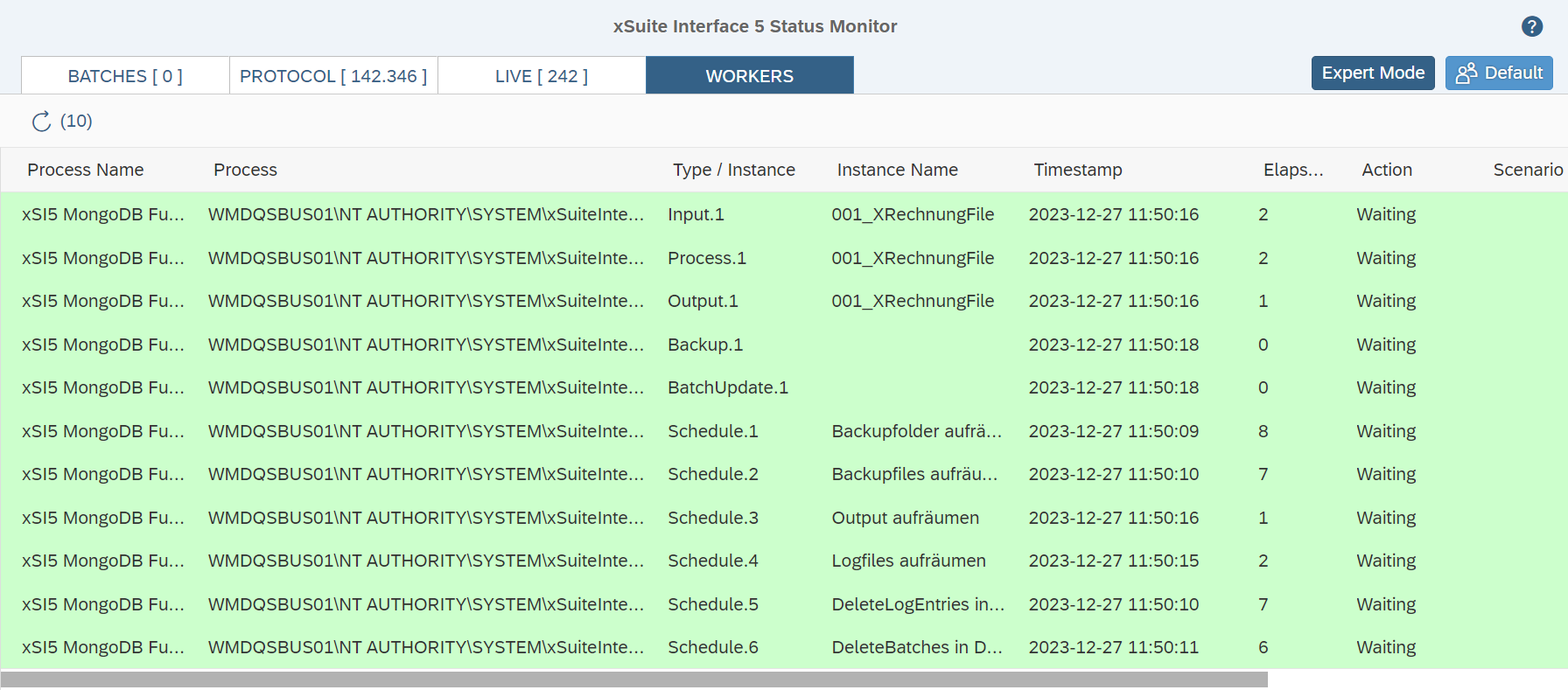 |
The Workers tab lists the current status of all running worker instances. Data is only visible in this area if the functionality has been activated via the property StatusService.ViewWorkers in global configuration. The data is automatically updated every 10 seconds. You can also update the data manually by clicking on the  button.
The view includes information on the process that is executing the respective instance, the type and sequence number of the instance and the activity status of the instance. The activity status includes the basic status (started/finished), but can also display current data on the activities of the instances. The display of this data requires the activation of live information transfer via the network to the Status Web Service for program instances running in parallel.
Of particular importance for the live status is the time that has elapsed since an instance last provided a response. In idle mode (i.e., when an instance does not have any data to process), the instance provides a status response every 10 seconds. If the instance is processing data, the number of seconds can vary greatly depending on the activity being executed. If an instance has not provided a response for 60 or 120 seconds, this will be displayed in the Worker view as a warning or an error. Such an error might indicate that there is a problem with processing (for instance, as a result of a synchronous call to an external system or a lack of response from an external API).
Notice
A warning or an error regarding the response time of an instance does not necessarily signify a problem during processing. In the case of extensive OCR analyses or overloaded external systems, there may be other reasons for some activities to take more than the expected amount of time.
The action that was last reported by an instance is displayed as additional information. The following actions are available:
Action | Description |
|---|---|
| There is an initialization error and the instance is not active. |
| The instance has just been started as part of program start. |
| The instance was terminated when the program was closed. |
| The instance received an abort signal while processing was underway. |
| Due to a globally defined pause (property |
| The instance is waiting for the next timer call to check for new data to be processed. |
| The instance is checking for the existence of new data to be processed. |
| The instance is processing data. This action also specifies the respective scenario and the number of the element that is being processed. |