Configuration Tree
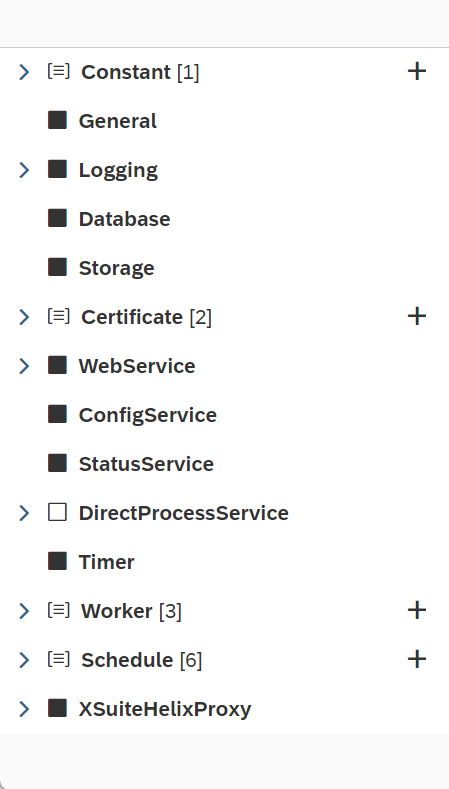 |
The Configurator displays data in a manner that reflects the technical structure of JSON configuration data. In the configuration tree, the JSON objects and their respective sub-objects are displayed in a hierarchical tree structure. If you select an object in the configuration tree, the configuration form will open, and you can edit the elementary properties of the object.
The following icons and buttons are available in the configuration tree:
Icon/Button | Description | ||
|---|---|---|---|
| Indicates objects that have additional properties. Clicking on this kind of object will open its properties in the configuration form, where the properties can be edited. | ||
| Indicates objects that do not have additional properties. The purpose of these objects is only to provide structure. | ||
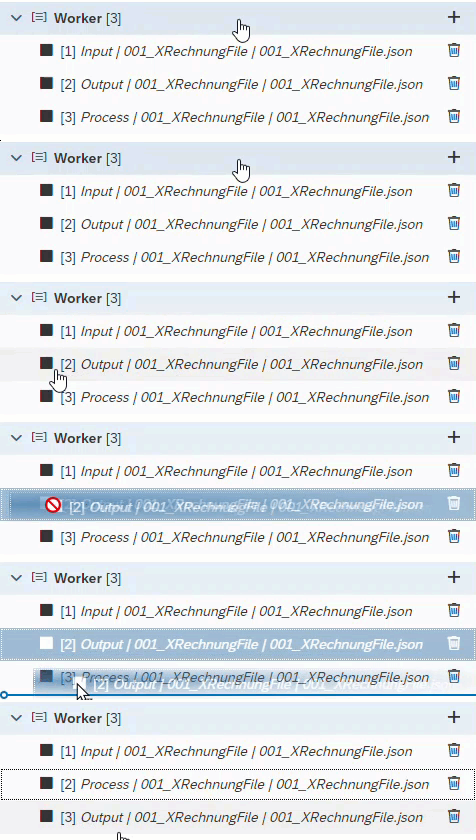
| Indicates a list of sub-objects, which can be of any length. The actual objects are located one level down. The order of the objects in a list can be changed by drag-and-drop.
The naming of objects within a list is usually dynamic. Depending on the context, the display name will be made up of one or more elementary property values. | ||
| Adds new objects to a list. | ||
| Deletes an object from a list. |