"Post Document Manually" (Role ORPO)
Notice
This workflow task is only available in the SAP GUI.
The workflow task "Post document manually" comprises the manual posting of a document.
In the standard workflow, manual posting follows the workflow task "Release document." If you wish to post the document, remove the billing block.
When posting manually, the data in the document can be changed, just as it can in the workflow task "Edit rejected document."
Notice
If a document is not posted manually, it must be flagged for deletion (Delete document). Click the Post button to open the SAP transaction VA02. From the Sales Document dialog, you can select the option Delete.This terminates the workflow.
UI – SAP GUI
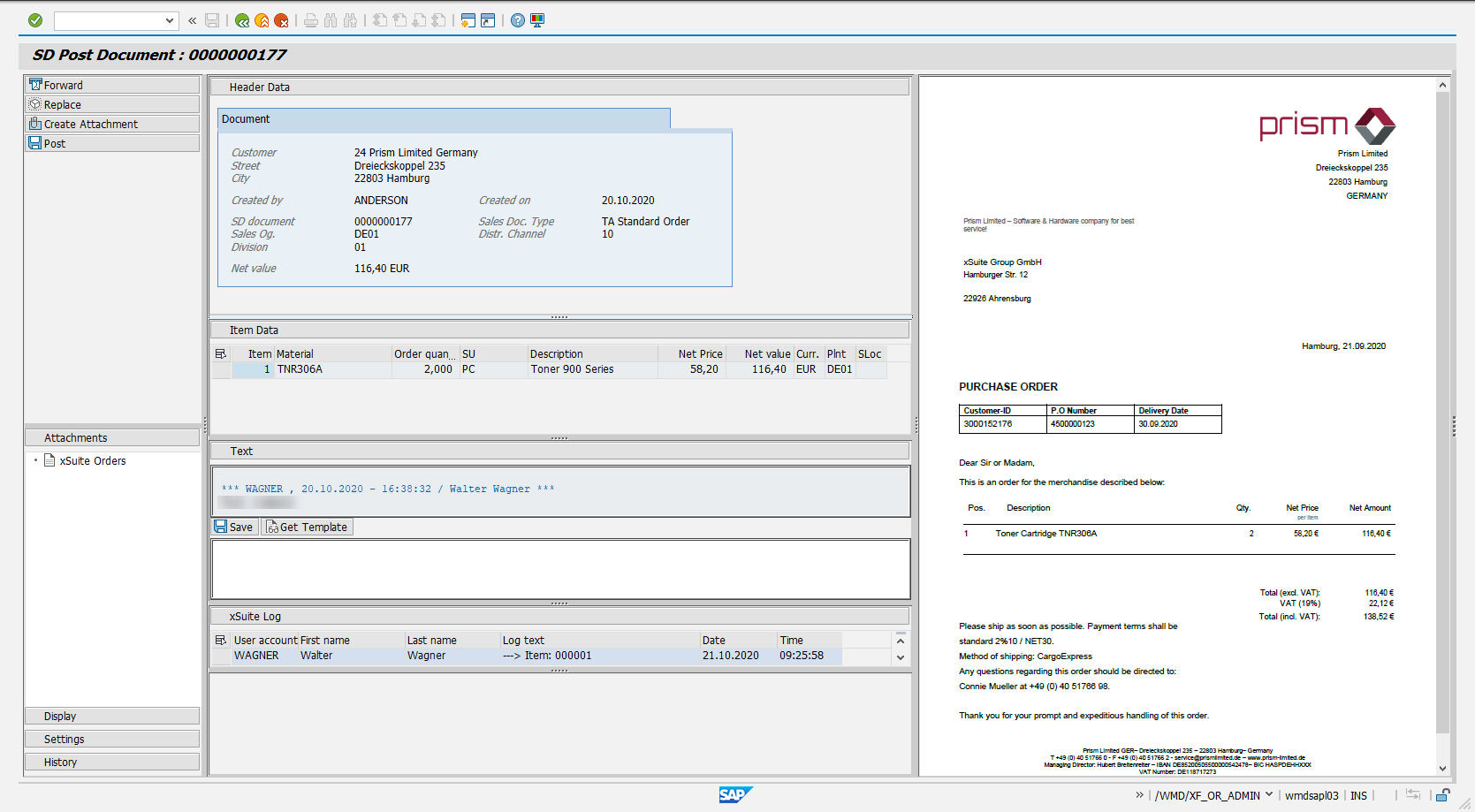
For information on the UI elements, see Work Items: Main Overview in the SAP GUI.
"Post Document Manually": Buttons
Notice
This workflow task is only available in the SAP GUI.
Name | Description |
|---|---|
Forward | Forwards the work item to the selected user for processing. |
Replace | Puts the work item back so that it can be edited by another user. |
Create Attachment | |
Post | If errors have not been found during validation, all order items will be checked, and the document posted. |