"Post Document" (Role LAC3)
The workflow task "Post document" is comprised of the manual posting of a document.
In the standard MM workflow, manual posting comes after the workflow task "Post in background" if the document could not be posted automatically in the background. Automatic posting in the background will fail if, for example, the posting period is already closed.
The document can be edited and, provided there are no errors, posted.
UI – SAP GUI
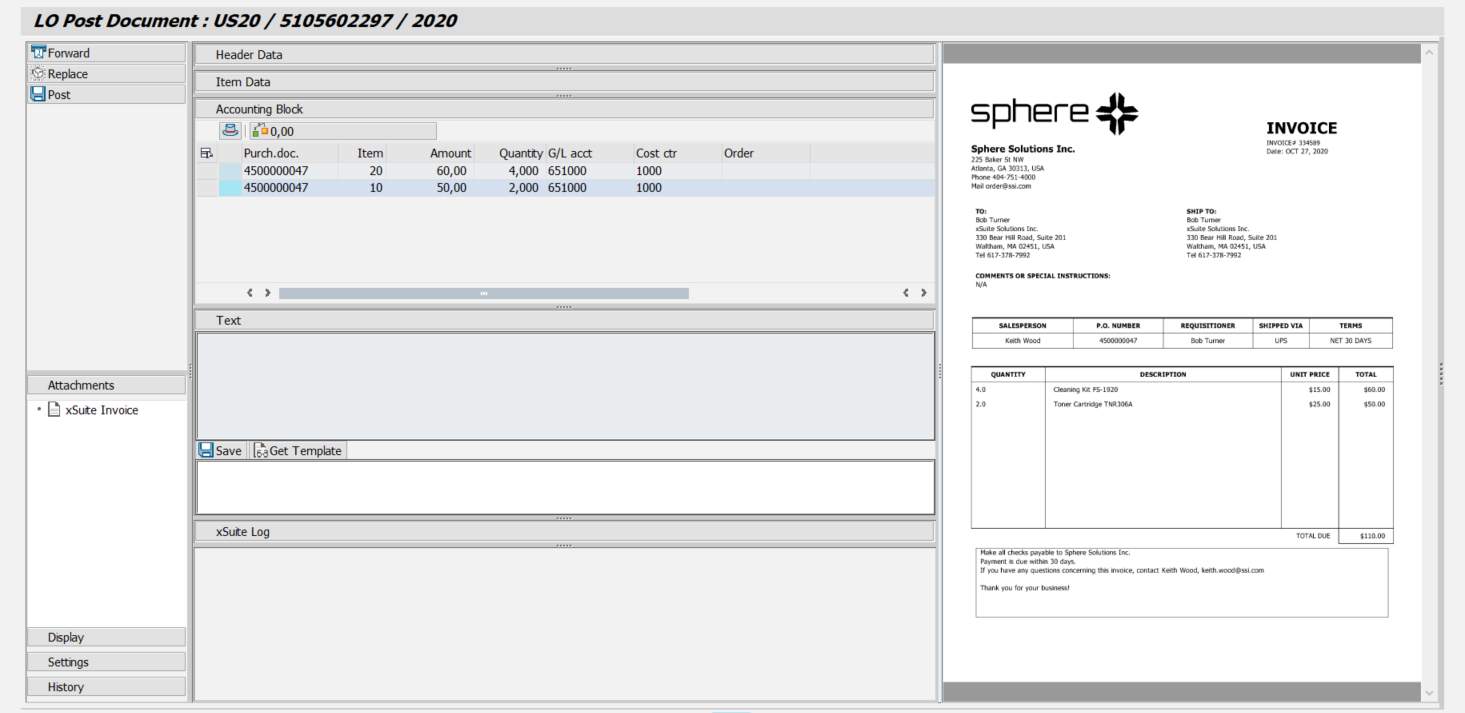 |
UI – SAP Fiori
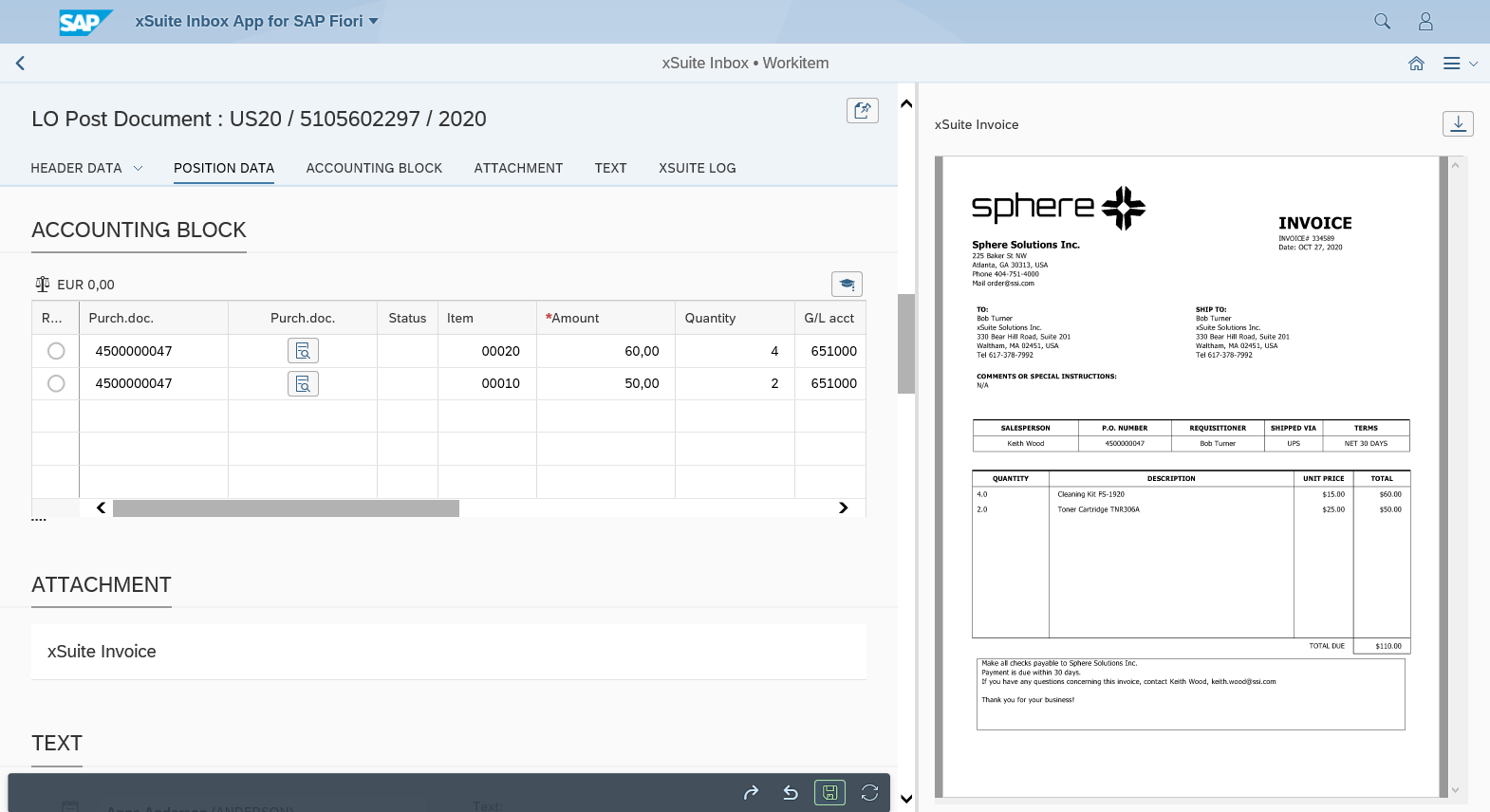 |
UI – xSuite Web
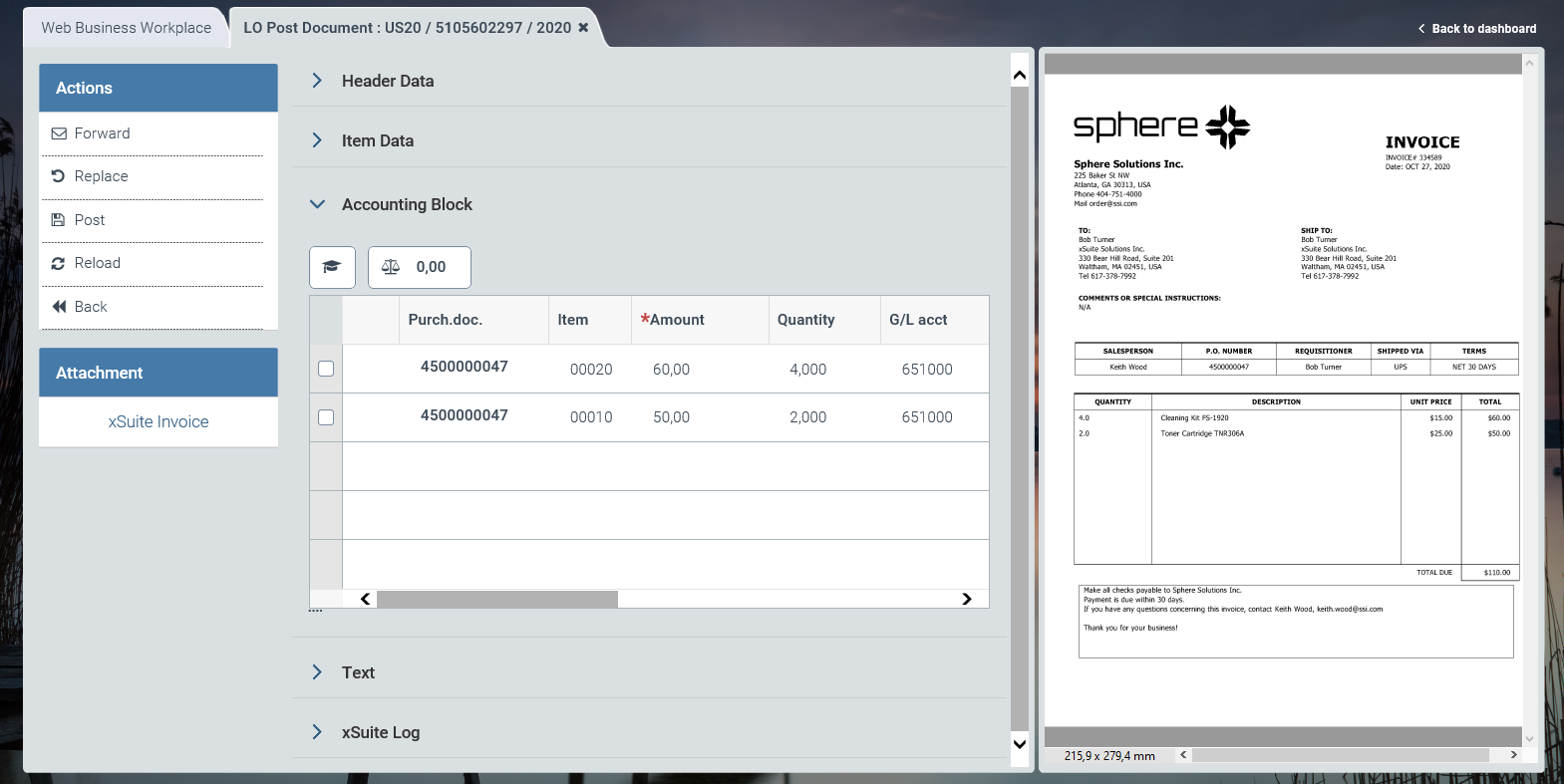 |
For information on UI elements, see Work Items: Main Overview in the SAP GUI, Work Items: Main Overview in SAP Fiori, and Work Items: Main Overview in xSuite Web.
"Post Document": Buttons
SAP Fiori | SAP GUI / xSuite Web | Description |
|---|---|---|
| Forward | |
| Replace | |
| Post | If errors have not been found during validation, all PO items will be checked and the document posted. For information on running checks of PO items, see Invoice Document Check. Shortcut in the SAP GUI: F8 |
| Refresh | Note: This button is only available in xSuite Web and in SAP Fiori. |
| Back | Note: This button is only available in xSuite Web and in SAP Fiori. |


