"Release Document" (Role LREL)
The workflow task "Release document" is comprised of the release of a document for posting.
In the standard MM workflow, release comes after the workflow task "Complete document".
The "Release document" step proceeds by item and may include any number of release levels. The releaser responsible will automatically be identified. The underlying release guidelines are configured in agent determination (transaction /WMD/XF_AGDET). The user responsible for release is identified according to this configuration, which involves amount, cost center, etc. in determining the user.
If one or more items are rejected, the document will be rejected as a whole. If one or more items are rejected, the releaser will need to enter a written justification (Text section).
UI – SAP GUI
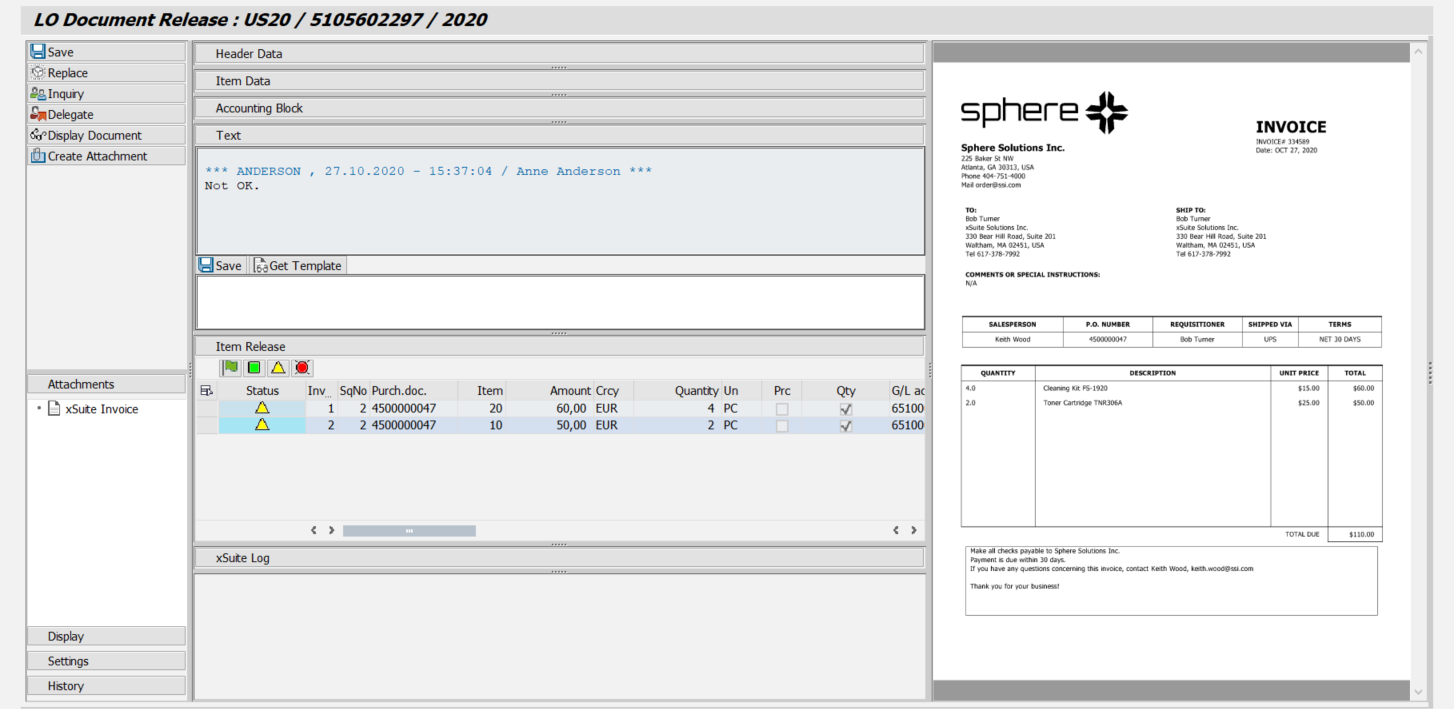 |
UI – SAP Fiori
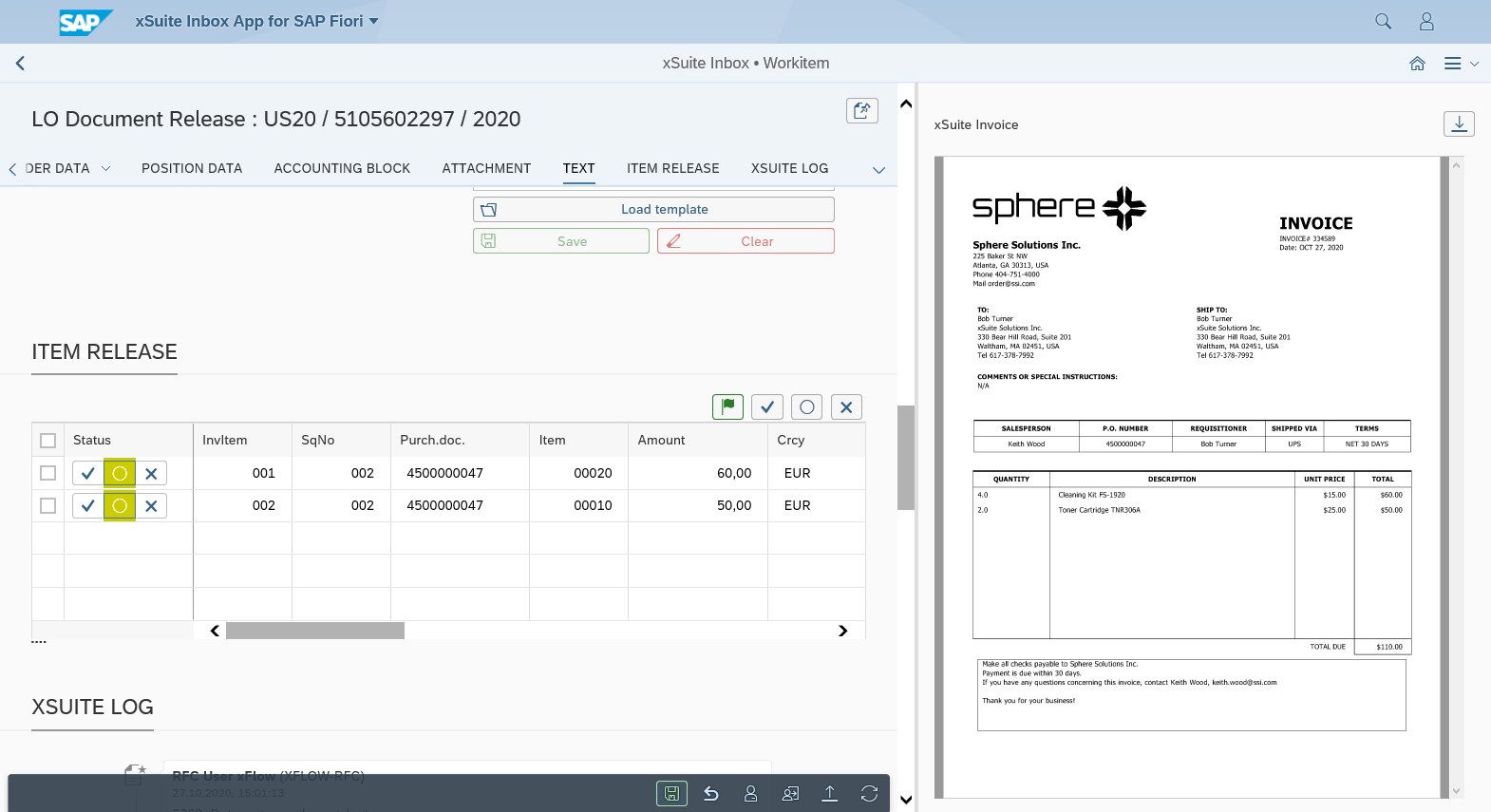 |
UI – xSuite Web
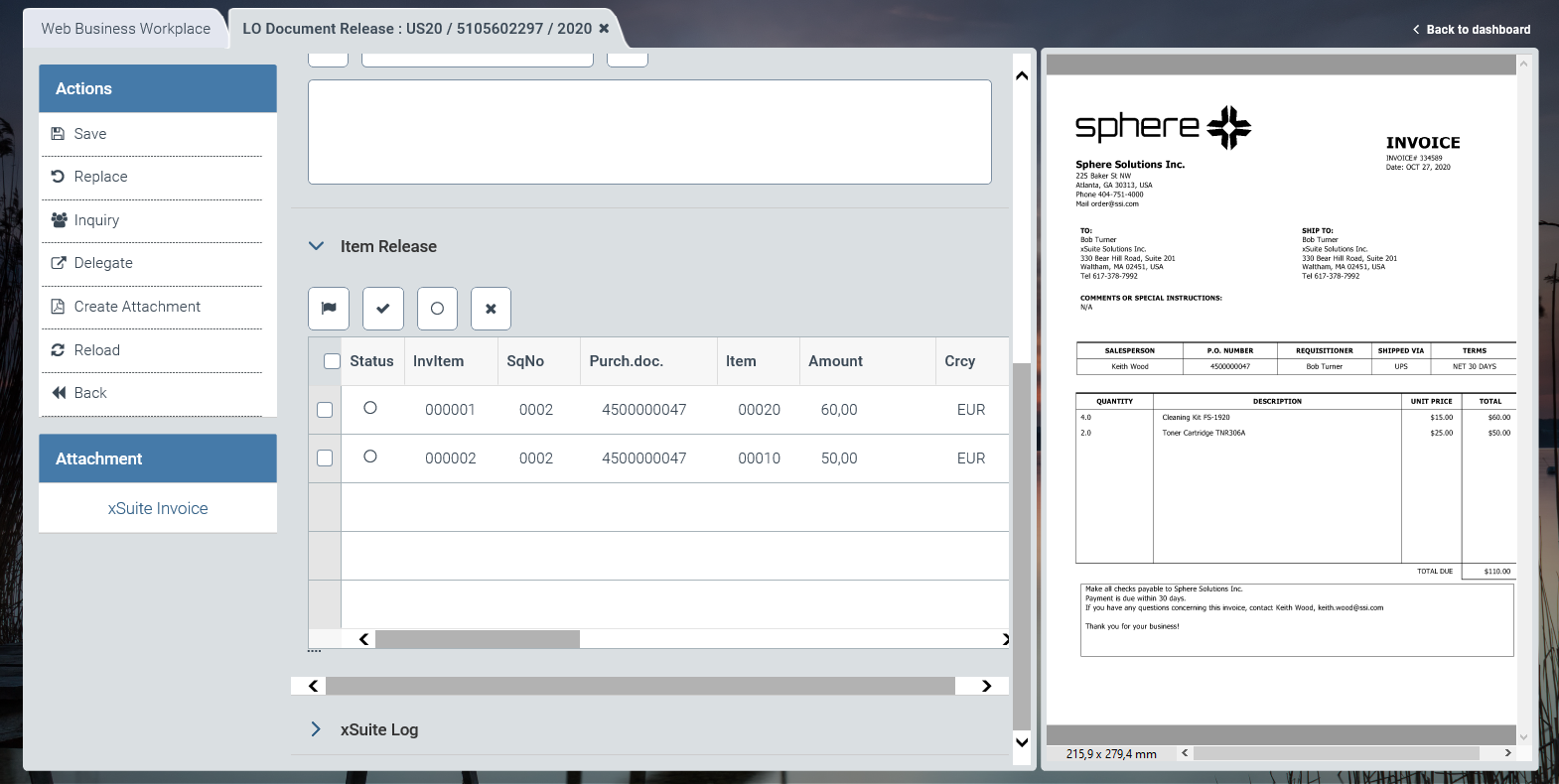 |
For information on UI elements, see Work Items: Main Overview in the SAP GUI, Work Items: Main Overview in SAP Fiori, and Work Items: Main Overview in xSuite Web.
"Release Document": Buttons
SAP Fiori | SAP GUI / xSuite Web | Description |
|---|---|---|
| Save | Shortcut in the SAP GUI: CtrlF9 |
| Replace | |
| Inquiry | |
| Delegate | |
-- | Display Document | Note: This button is only available in the SAP GUI. |
| Create Attachment | |
| Refresh | Note: This button is only available in xSuite Web and in SAP Fiori. |
| Back | Note: This button is only available in xSuite Web and in SAP Fiori. |


"Release Document": Buttons for Item Release
SAP GUI | SAP Fiori | xSuite Web | Name/Description |
|---|---|---|---|
|
|
| Release all items: Releases all items. Shortcut in the SAP GUI: ShiftF9 |
|
|
| Release selected items: Releases the selected items. |
|
|
| Initialize / Cancel: Removes the release or rejection of the selected items. |
|
|
| Reject selected items: Rejects the selected items. |


