Work Items in the SAP GUI
In the SAP GUI, work items are displayed in the SAP Business Workplace (transaction SBWP).
SAP Business Workplace: Main Overview
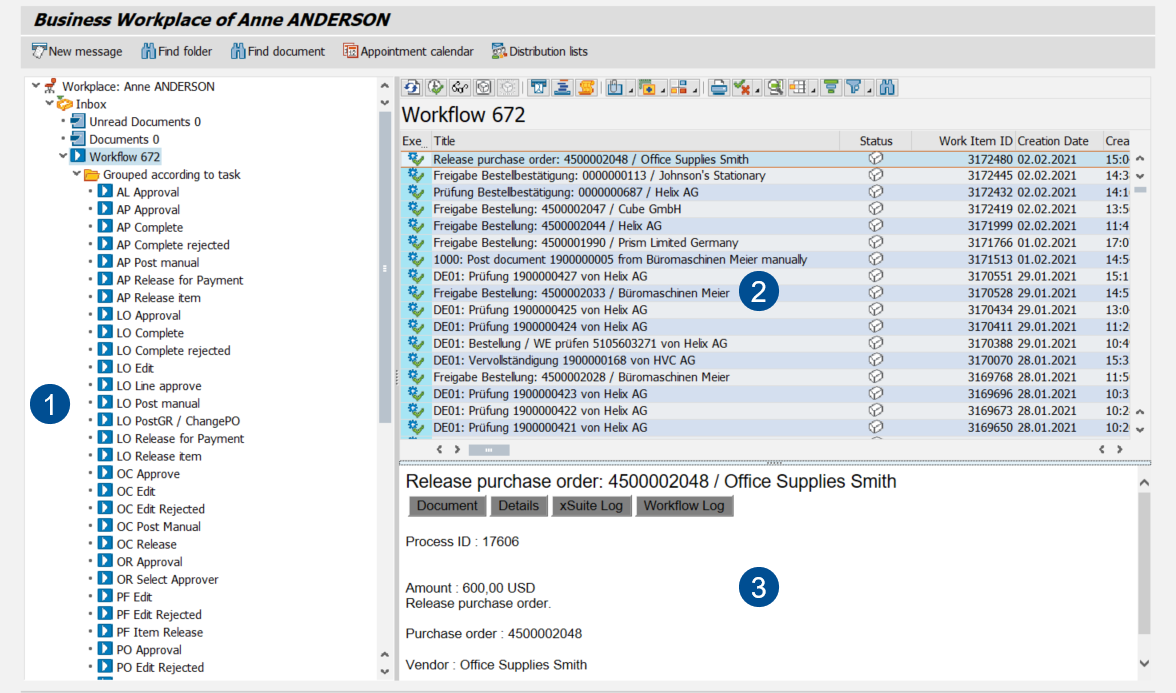 |
Area | Information and comments | |
|---|---|---|
1 | Folders | This is where the folders in your SAP Business Workplace are displayed, in hierarchical order. To see work items that relate to the xSuite workflow, go to Inbox → Workflow. |
2 | Work Item List | This is where work items from the selected folder are displayed. Double click on a work item to open it. |
3 | Work item preview | This is where a preview of the selected work item is displayed. The preview can be hidden. |
Work Items: Main Overview in the SAP GUI
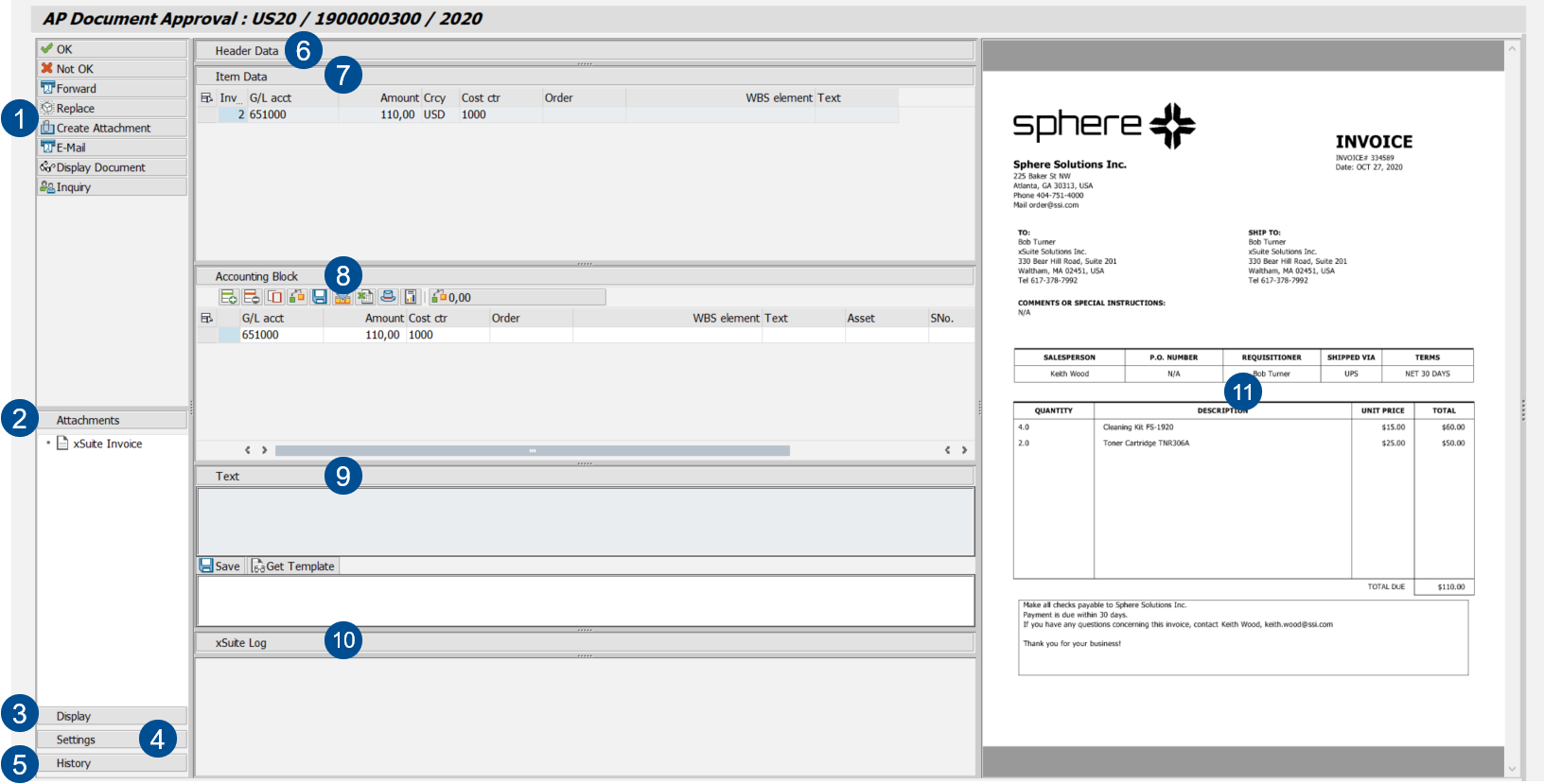 |
Element | More information | |
|---|---|---|
1 | Document buttons | Different buttons are available depending on the document type and the workflow task in which a document is located. |
2 | Attachments | |
3 | Display | |
4 | Settings | |
5 | History | |
6 | Header Data | In the header data section, the primary data of the document, e.g., vendor or company code, is displayed. |
7 | Item Data | |
8 | Accounting Block | |
9 | Text | |
10 | xSuite Log | |
11 | Image display | This is where the image of the document is displayed. |
Substitute Maintenance in the SAP GUI
You can set your own substitute for planned times of absence. If you have multiple roles, you can select substitutes by role.
Substitute maintenance can be accessed in the SAP GUI with transaction /WMD/XF_USR_SUB.
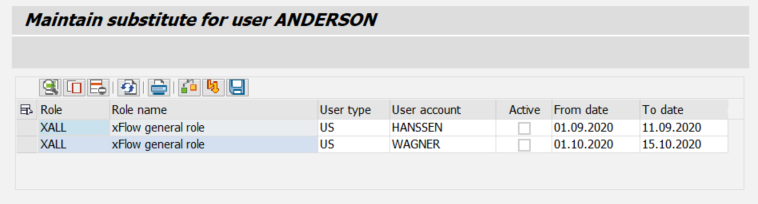 |
During the period for which you are being substituted, both you and your substitute will receive the work items that are assigned to your role. Your substitutes will be able to process your work items during your absence.
If the substitutions you specify for individual users or for user groups conflict with other substitutions, or if the substitutes you specify do not exist, an error message will appear.
Notice
Do not use SAP substitute maintenance. SAP substitute maintenance does not include any xSuite roles, so always maintain substitutes for xSuite roles within xSuite itself.
Substitute Maintenance: Columns
Column | Description | Editable |
|---|---|---|
Role | Indicates your role. | |
Role name | Indicates the description of a role. | |
User type | Indicates whether the substitute is a user (US) or a user group (GR). | X |
User account | Indicates the name of a substitute. | X |
Active | Activates a substitute assignment. | X |
From Date | Indicates the date on which a substitution period is to start. | X |
To Date | Indicates the date on which a substitution period is to end. | X |