Editing labels, short descriptions, and icons in tiles
Open the configuration page of a tile. For more information, see Opening the configuration page for a tile.
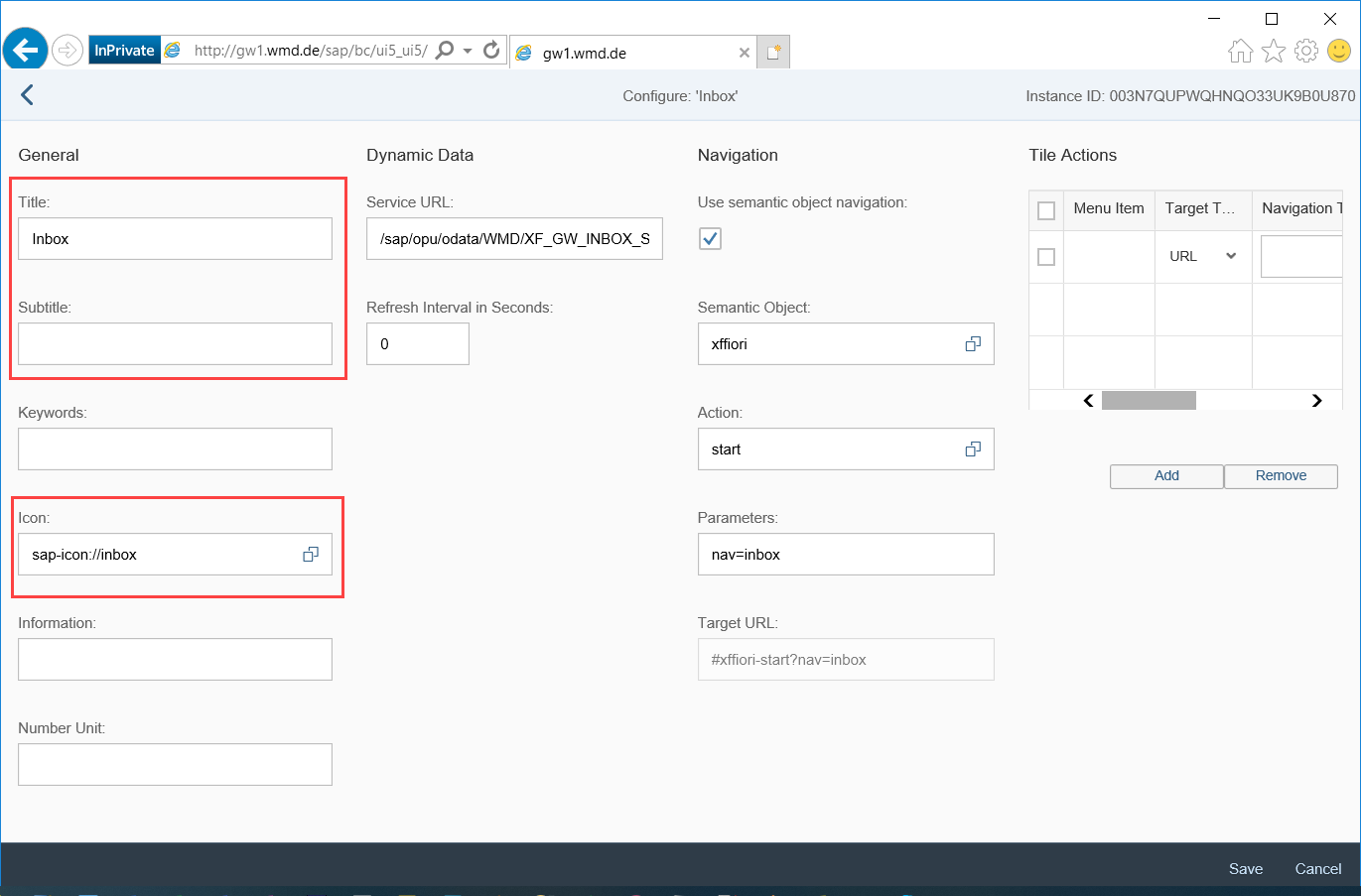
This is where you can edit the tile labels, short descriptions, and icons displayed in the tiles.
Do not edit any of the other settings.
Exceptions:
In the Parameters field, you can configure which overview is opened when a tile is clicked in the Overviews App. For more information, see Call definition of xSuite Overviews of the Overviews app in the Fiori Launchpad ("type" parameter).
In the Service URL field, you can configure the counter for the "Inbox" tile. For more information, see Configuring the counter on the "Inbox" tile.
Save.