Defining a transport request for the tile catalogs
Define a transport request for all tile catalogs to be used. Changes made to the tiles will be logged in the transport request.
Execute the transaction /UI2/FLPD_CUST.
➣ Fiori Customizing will open in the web browser.
Select the Catalogs tab.
Select a tile catalog such as the xSuite tile catalog "xSuite Fiori".
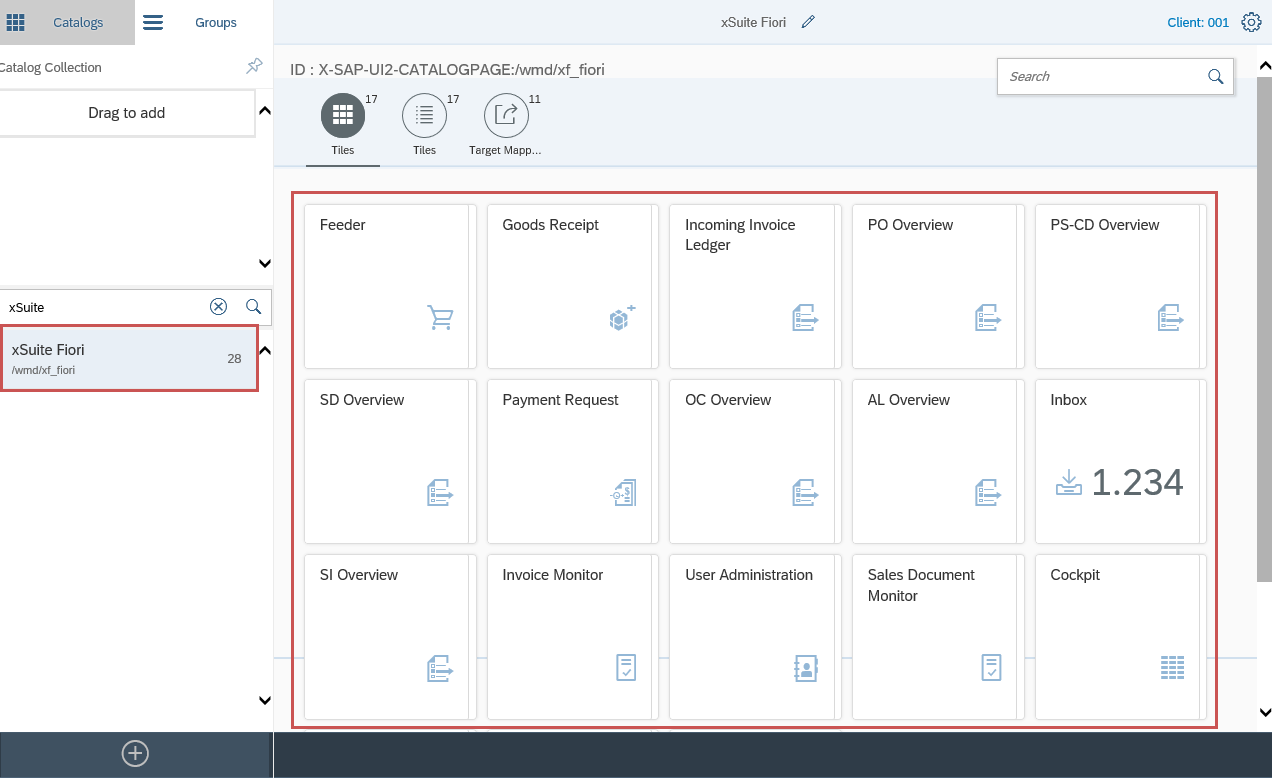
Click the
 Settings button.
➣ The window Assign Transport Request will open.
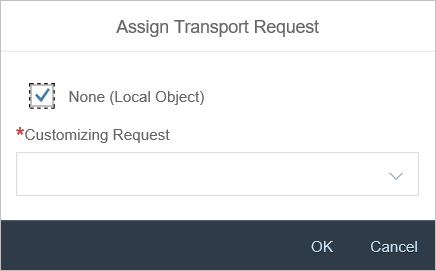
Deactivate the None (Local Object) checkbox.
Select the desired transport request from the pick list Customizing Request.
If a transport request does not exist yet, create it in the SAP GUI with the transaction SE01.
Click OK.