Validation view
New buttons in the "Line-item data" section
Button | Name | Description |
|---|---|---|
| Confirmation fields on/off | This function shows/hides the confirmation fields in the Item data area. If the fields are hidden, they can only be edited in the Confirmation Items area. The respective setting (on or off) is saved so that the next time the validation view is opened, the selected display is retained. |
| Confirmation data form PO item | You can use this function to copy the confirmation data from the purchase order item and now also from its schedule lines (confirmed as ordered). At least one purchase order item must be selected for this. A confirmation item is then created for each schedule line in a purchase order item. The delivery dates and partial quantities are copied from the schedule lines. The remaining data is copied from the purchase order item. The net item value is calculated. Attention: Confirmation items that have already been entered are overwritten or deleted. If a purchase order item contains persistent confirmations, the function for this purchase order item will not be executed. |
| Mat. Stock/Requirements List | This function calls transaction MD04 (stock/requirements list). The reference is the Material field in the Purchase order items area. Note: If an item line is selected before the function is called, the material for this item will serve as a reference. If no row is selected, the material of the active item will serve as a reference. |


New direct access to the "Position details" area
In the following columns, you can branch to an SAP transaction by double-clicking on a value.
Column | New | SAP transaction | Description |
|---|---|---|---|
Purchasing Document | ME23N | Order display | |
Material | X | MM03 | Material master display |
Info Record | X | ME13 | Display purchasing info record |
New input fields
Section | Field | Notes |
|---|---|---|
Header Data | Incoterms | Field with F4 input help Value can be imported via the EDI route. |
Header Data | Incoterms (Part 2) | Freely editable text field Value can be imported via the EDI route. |
Item Details | Vendor Material Number | Freely editable line item field Value can be imported via the EDI route. |
Function "Workflow" changed
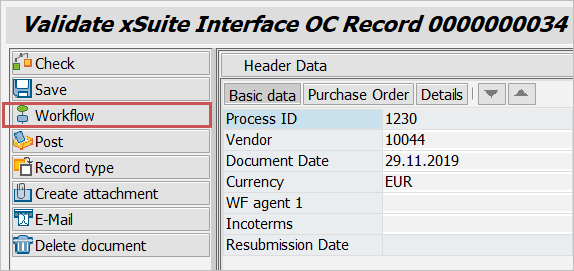
The workflow function in the validation view has been enhanced as follows:
A document check is now carried out implicitly before the workflow is started. If the document contains errors, the workflow is started in the processing step.
If the document does not contain errors (warnings are allowed), the workflow is started in the check step.