Assigning a website alias
Notice
If a website has a website alias, this alias will be used instead of the siteId within the URL.
Normal URL:
[...].eu10.hana.ondemand.com/site?siteId=dd5b8a33-058f-4b28-aa0d-e8cd4c6a4d4#Shell-home
URL with website alias:
[...].eu10.hana.ondemand.com/site/ALIAS/#Shell-home
Open the portal manager. For more information, see Opening the portal manager.
Click on
 Website Manager.
➣ The website manager will open.
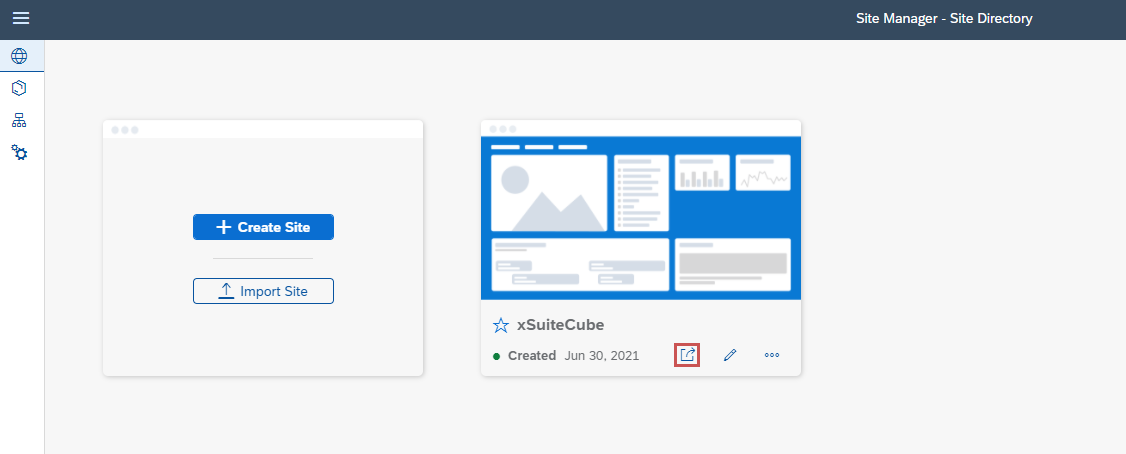
Click on
 of a website, and then click Manage Site Alias.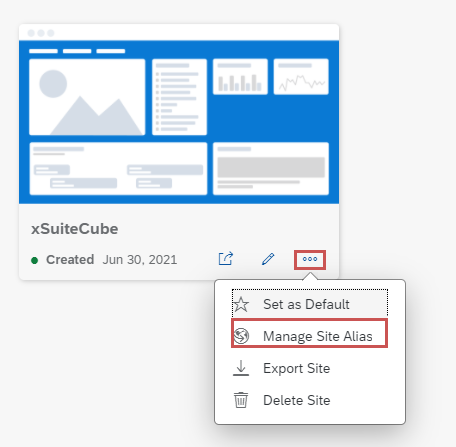
In the Site Alias field, type the alias, and then click Save.
➤ The website alias has now been created.