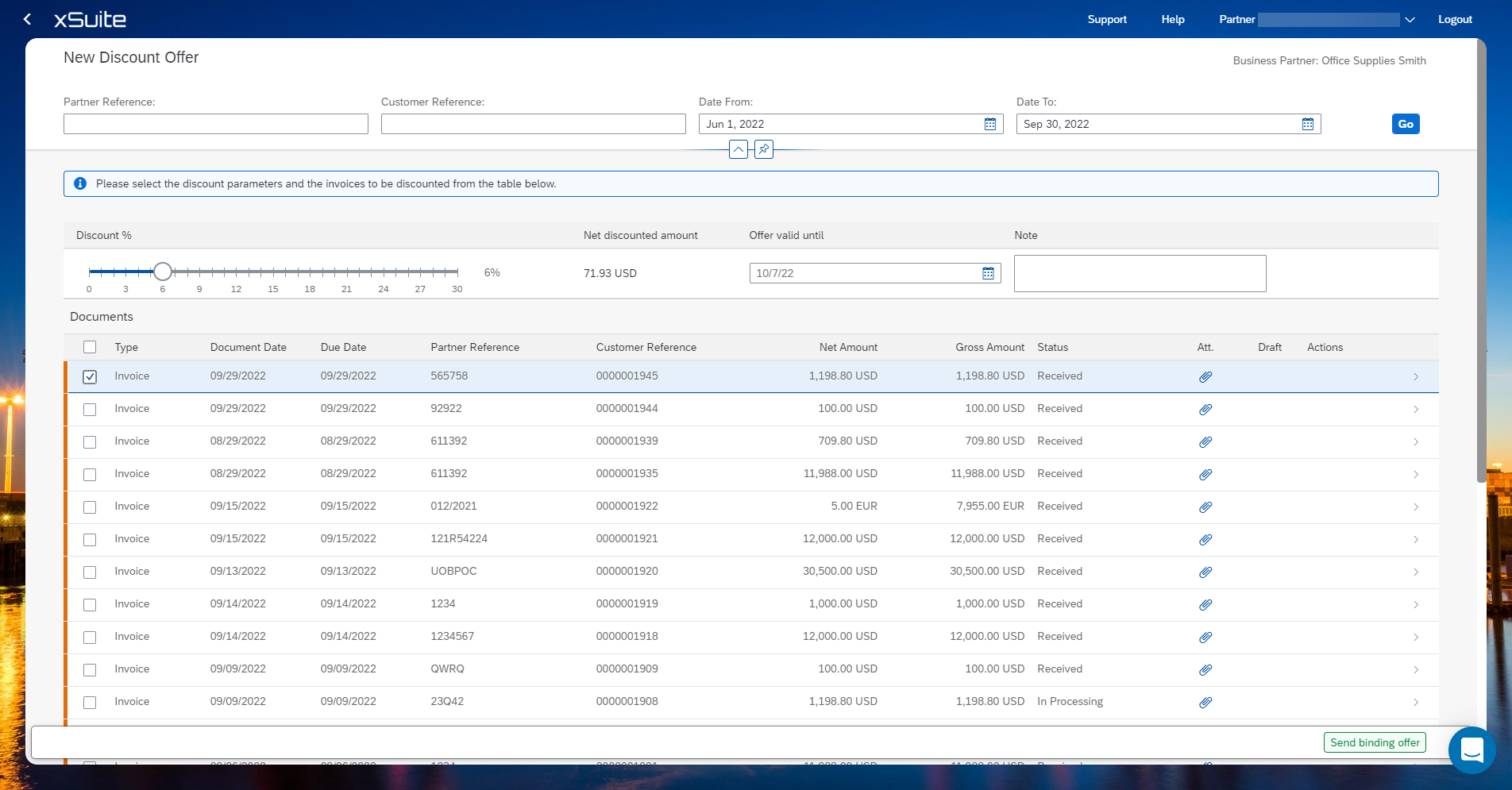
Creating a dynamic discount offer
Open the Offer Dynamic Discount tile.
Click Add.
If necessary, narrow down the list of invoices using the search fields.
Select the invoices for which you want to create a DDO.
Use the slider to determine the percentage of the discount.
Specify the validity period of the discount offer.
Enter a note if necessary.
Click Send binding offer.