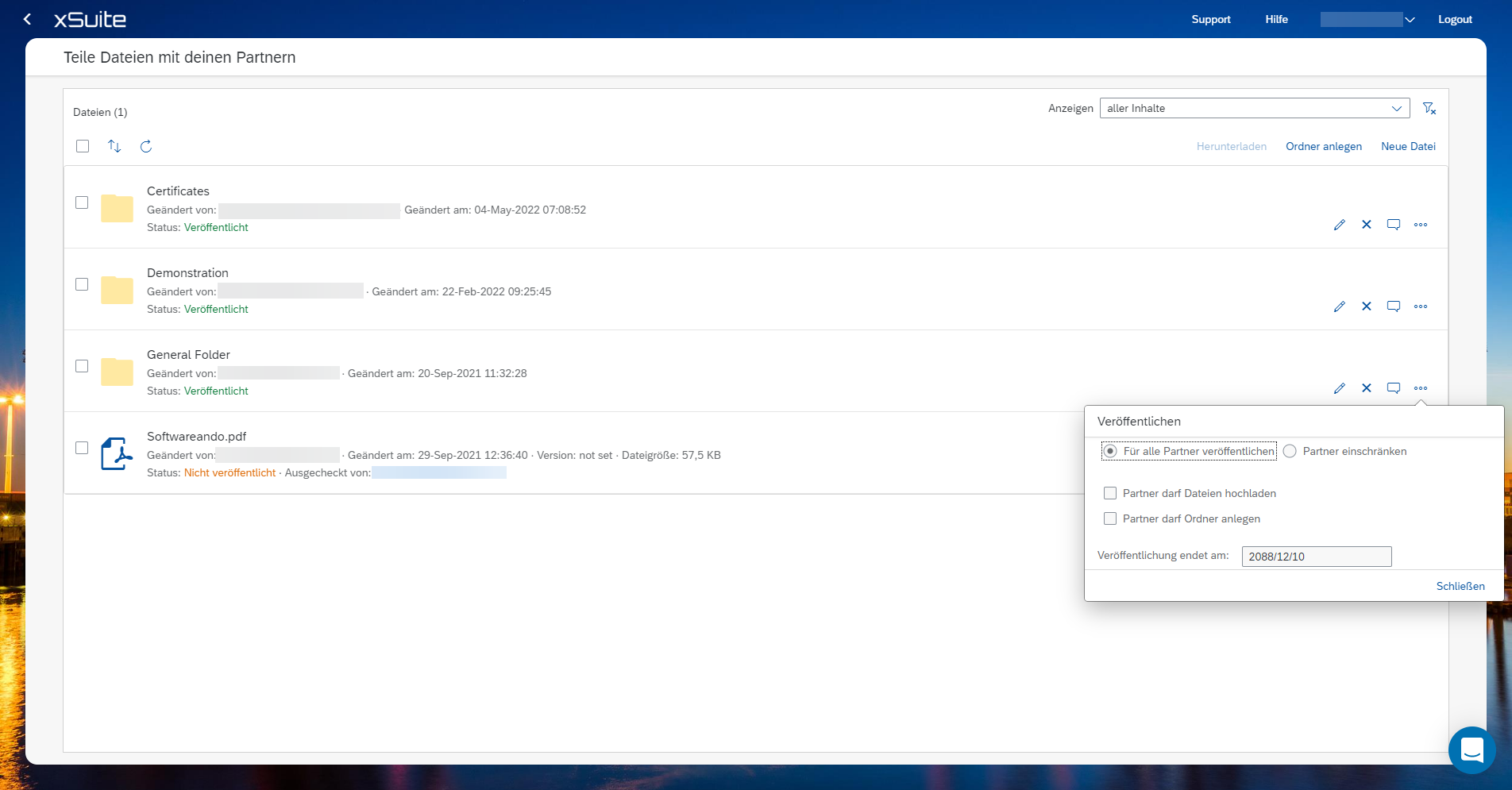
Publishing files and folders
Click on the Files tile.
Click New Files and upload the desired file.
Choose whether to share the file with all business partners or just selected ones.
Select whether to authorize partners to upload files or create folders.
Choose a date when availability is to end.