Validating a document
Once you have finished editing the document, you can validate the document data. The KoSIT Validator is used for this purpose. The KoSIT Validator checks the document data for compliance with European Standard 16931.
Caution
You can only send a document if all mandatory fields have been filled in and there are no validation errors.
Always perform a validation check before sending a document.
Go to the Document Hub menu item.
Click on a document in the document list.
➣ The document's data will be displayed in the main view.
Click Validate.
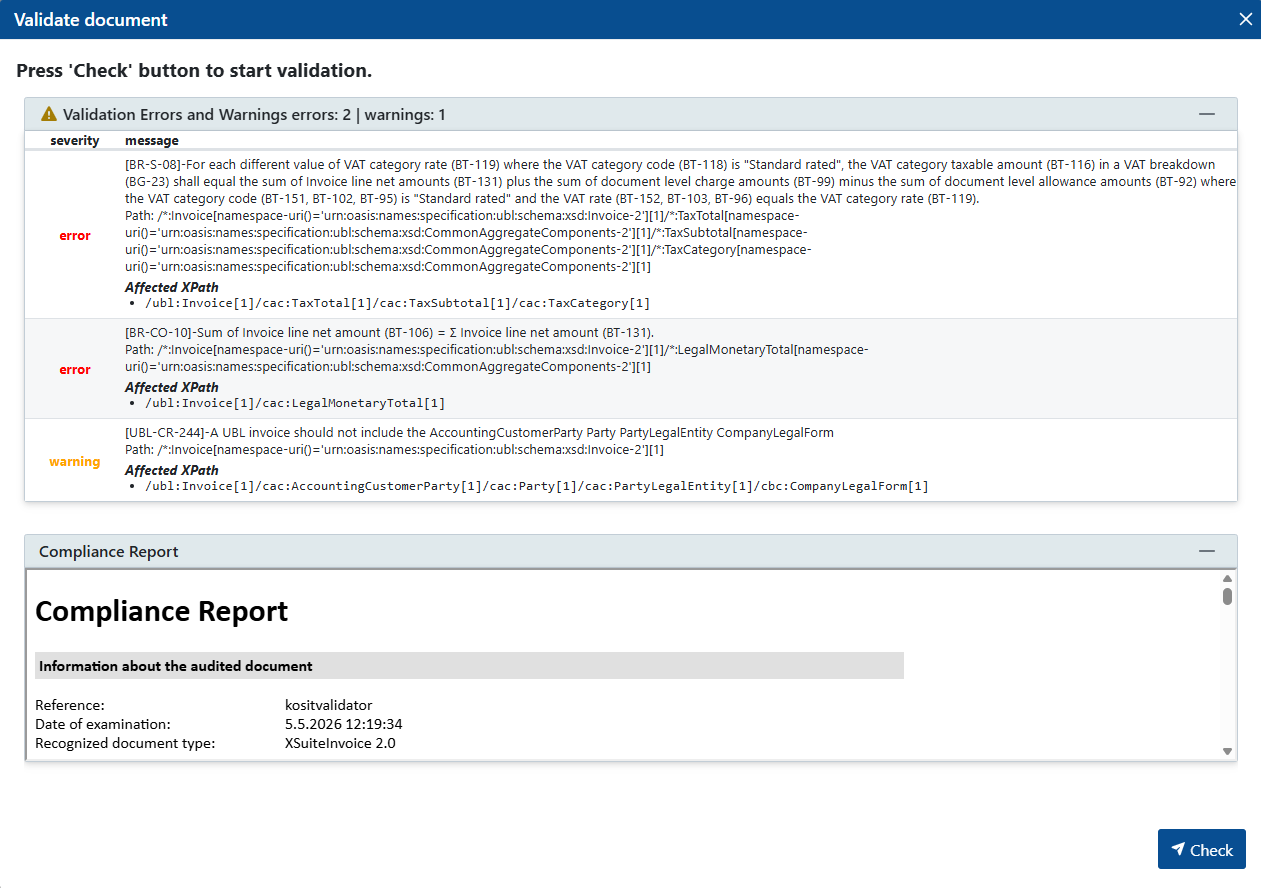
➣ The Validate Document dialog box will open.
Click Check.
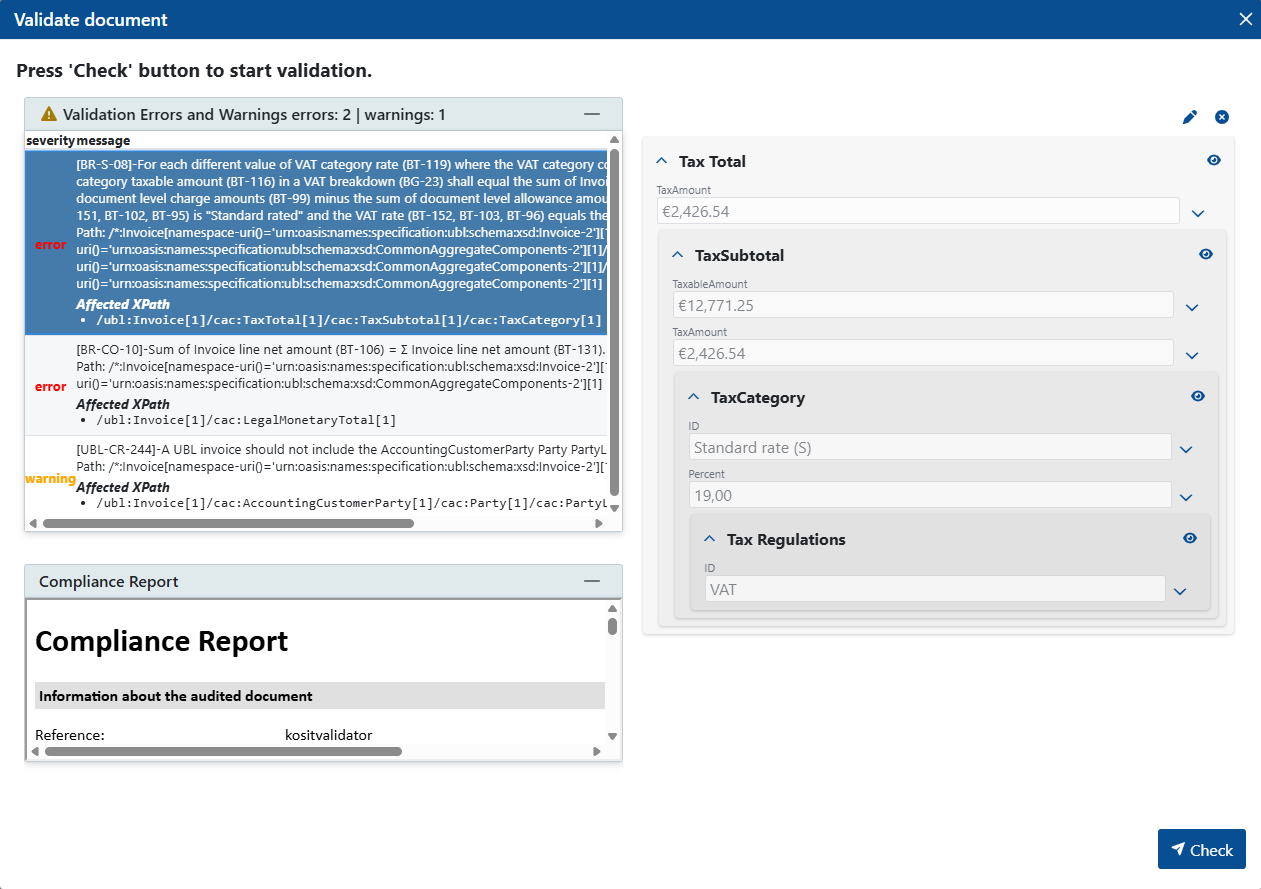
➤ The document will be validated. All errors and warnings are displayed in a table at the top of the dialog box. The validation report is displayed at the bottom.
Tip
To correct an error and open the affected field, click on an error message in the table. The affected field and the corresponding section will be displayed. You can edit the fields directly in this view and save your changes. Validation is automatically performed again after each save.